






Norton.com/setup - Norton is one of the best antivirus software which protects your computer from various malware and viruses. It is introduced by Semantic Corp. It works in various Operating Systems like iOS, Windows and even in Android. It provides various security essentials to your system like antispyware, antivirus and antimalware.
For more information visit our site- norton.com/setup




Norton.com/setup: Visit to start your Norton subscription.
Download, install, and activate Norton in your device through www.norton.com/setup.Read more - https://my-blog-search.com/norton-setup/
With a month or so to go before Microsoft drops the scheduled Windows 10 “19H2” update, the company may be signaling that work is winding down.Source:-Microsoft streamlines 19H2 builds as Windows 10’s fall update nearsRecall that Microsoft began setting the stage for 19H2 in July, positioning the fall update not as a “feature release” of major changes, but instead a group of “select performance improvements, enterprise features, and quality enhancements.” It might not be entirely fair to call 19H2 a “service pack,” but that’s probably a close analogy.Microsoft has been testing 19H2 in what’s known as the conservative “Slow Ring” of the Windows 10 Insider program.
As of right now, the major 19H2 changes include the ability to allow other digital assistants besides Cortana to live on the lock screen; a rotation policy among “favored” CPU cores, changes to how notifications are displayed in the Action Center, and more.
A shift in how Microsoft has deployed Windows 10 19H2 in the Windows Insider Slow Ring signals that the company may be preparing to finalize Windows 10’s upcoming fall update.
Previously Microsoft performed A/B testing, turning some 19H2 features on for some Slow Ring Insiders, and others off.
As of today, the new build, Build 18362.10019, turns on all the features for everyone with a PC that’s part of the Slow Ring Insider program.That’s significant, in our view.
If all features are now on for all 19H2 users, a month before the scheduled release, it likely means that Microsoft is winding down 19H2 development.
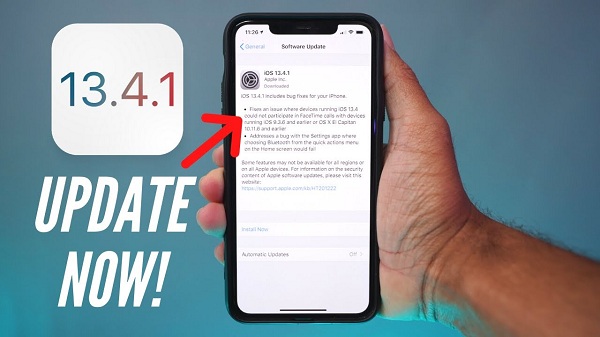
iOS 13 by Apple introduced numerous features that were awaited for so long.
However, with the updates came along some issues, bugs and some other problems which needed to be fixed.SOURCE:-Facing Issues after Updating to iOS 13.4.1?
Here’s How to Fix ThemSometimes these bugs are not so noticeable that the company waits for the next version to launch.While some bugs create a lot of problems that it needs to be fixed immediately.First of all, how to update to this software if you’re an iPhone user:Go to settings and tap General.Click on ‘Software Update.’Tap on ‘Download and Install,’ and you’re all ready to set up.A few of the issues which IOS 13.4.1 got along are listed below.
Instead, it’ll bring the number grid where you need to enter the password to unlock.Facetime doesn’t work with older versionsLet’s take an example to talk about this issue.
This is because one of you has the latest version of the software, while the other one did not update.But upgrading to the 13.4.1 version will allow you to Facetime once again without any interruption.A glitch in the Mail applicationApple hurried out iOS 13.1 a week before the timetable, and one of the large fixes was for issues with its first-party Mail application.
Move up to the most recent variant of iOS 13 to fix this issue.