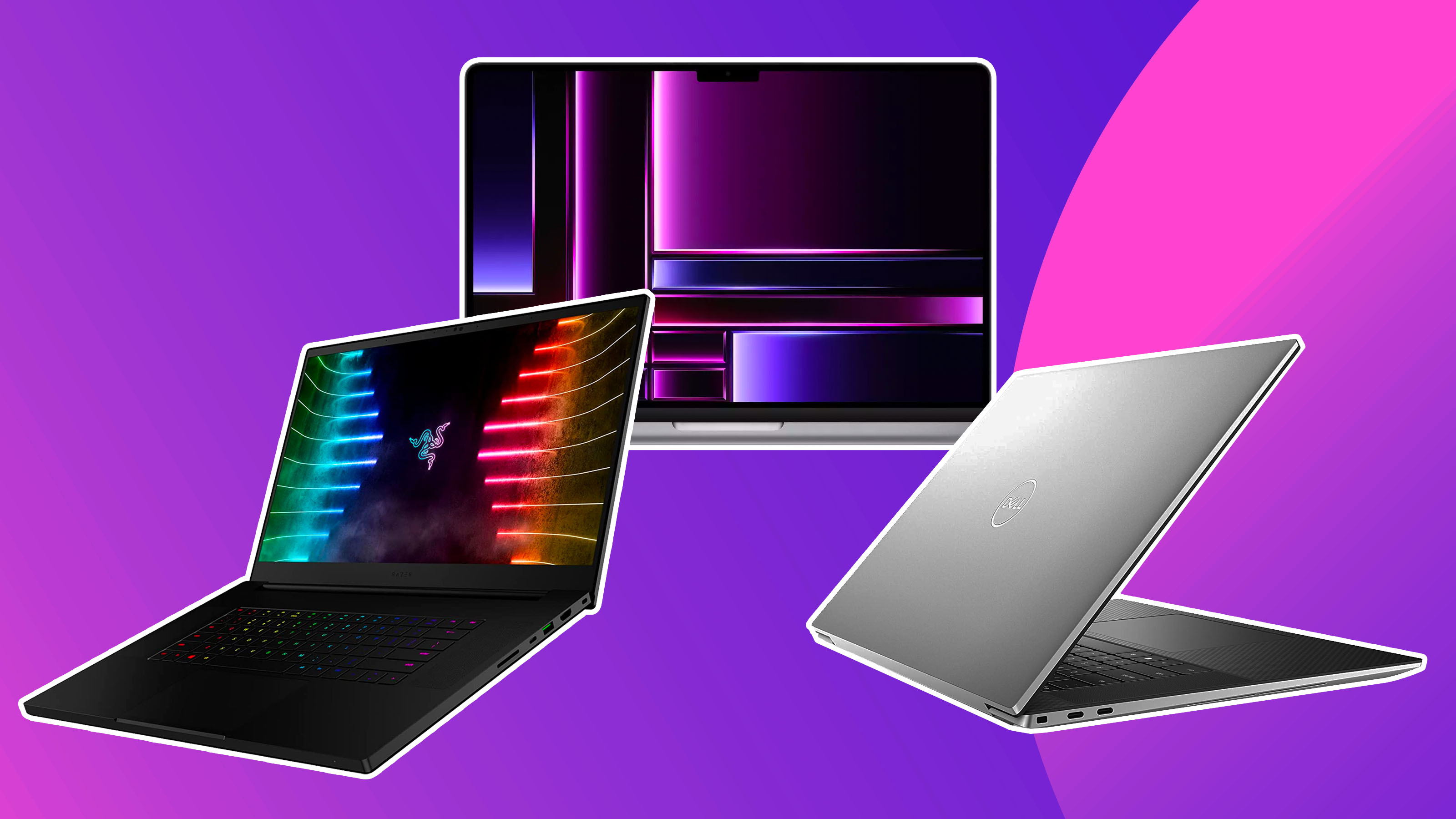
Laptop specifications comparison
When choosing a laptop, it is important to compare and analyze different specifications to ensure that you are making the right decision. Here, we will compare the specifications of some popular laptop models available in Bangladesh.
Dell XPS 13
The Dell XPS 13 is a highly recommended laptop for students and professionals. It offers excellent performance and portability, making it ideal for those who are always on the go. The sleek and compact design of the XPS 13 adds to its appeal.
Specifications:
- Processor: Intel Core i5 or i7
- RAM: 8GB or 16GB
- Storage: 256GB or 512GB SSD
- Display: 13.3-inch FHD or 4K
- Battery Life: Up to 11 hours
ASUS ROG Zephyrus G14
Gamers, on the other hand, require laptops with powerful specifications to ensure smooth gameplay. The ASUS ROG Zephyrus G14 is a popular choice among gamers due to its impressive specs and compact design.
Specifications:
- Processor: AMD Ryzen 7 or 9
- RAM: 16GB or 32GB
- Storage: 1TB SSD
- Display: 14-inch FHD or QHD
- Battery Life: Up to 10 hours
Lenovo ThinkPad X1 Carbon
Business users require laptops that are durable and equipped with robust features to handle their professional needs. The Lenovo ThinkPad X1 Carbon is a reliable and powerful laptop designed specifically for business users.
Specifications:
- Processor: Intel Core i5 or i7
- RAM: 8GB or 16GB
- Storage: 256GB or 512GB SSD
- Display: 14-inch FHD or QHD
- Battery Life: Up to 15 hours
Apple MacBook Pro (M2)
For creative professionals who work with high-resolution graphics and require powerful performance, the Apple MacBook Pro (M2) is an excellent choice. It offers a stunning display and top-notch performance.
Specifications:
- Processor: Apple M2 chip
- RAM: 16GB or 32GB
- Storage: 512GB or 1TB SSD
- Display: 16-inch Retina display
- Battery Life: Up to 11 hours
Each of these laptop models caters to different priorities, ensuring that there is a suitable option for every user. Whether you are a student, a gamer, a business user, or a creative professional, comparing the specifications of different laptops will help you make an informed decision.
Laptop buying guide
Buying a laptop can be an overwhelming task, especially with the wide range of options available in the market. Here are some essential factors to consider when purchasing a laptop.
1. Purpose
First and foremost, determine the purpose of your laptop. Are you buying it for educational purposes, gaming, professional work, or creative tasks? Understanding your primary usage will narrow down your options and help you make the right choice.
2. Specifications
Consider the specifications that are important for your needs. Key specifications to look out for include the processor, RAM, storage, display, and battery life. Higher-end specifications are essential for tasks such as gaming, video editing, and graphic design.
3. Budget
Set a budget for your laptop purchase. This will help you filter out options that are beyond your affordability. It is important to strike a balance between the specifications you require and the price you are willing to pay.
4. Operating System
Choose the operating system that suits your preferences and requirements. The three most common operating systems are Windows, macOS, and Chrome OS. Each has its own pros and cons, so consider what you are familiar with and the software compatibility you need.
5. Design and Portability
If you plan to carry your laptop around frequently, consider the design and portability. Look for a sleek and lightweight laptop that fits your aesthetic preferences. Think about the size of the display, keyboard comfort, and overall form factor.
6. Connectivity Options
Check the connectivity options available on the laptop. Look for the number and type of USB ports, HDMI ports, headphone jacks, and any other ports that you may require. If you need to connect external devices frequently, it's important to have the necessary ports available.
7. Brand and Warranty
Consider the reputation of the laptop brand and the warranty offered. Research customer reviews and ratings to get an idea of the brand's reliability and after-sales service. It's always good to have a warranty that covers any potential defects or issues.
8. Upgradability
Check if the laptop allows for easy upgradability of components such as RAM and storage. This can be beneficial in the future if you need to expand or enhance the performance of your laptop without having to replace the entire device.
9. Reviews and Recommendations
Read reviews and seek recommendations from trusted sources before making your final decision. This will give you insights into the real-world performance and user experiences of the laptops you are considering.
Affordable laptops for students
Students often have a limited budget and require laptops that are both affordable and capable of handling their academic tasks. Here are some affordable laptops that are well-suited for students in Bangladesh.
1. Acer Aspire 5
The Acer Aspire 5 is a budget-friendly laptop that offers good performance for everyday student tasks. It has a decent display, a comfortable keyboard, and a range of connectivity options.
Specifications:
- Processor: AMD Ryzen 3 or 5
- RAM: 4GB or 8GB
- Storage: 128GB or 256GB SSD
- Display: 15.6-inch FHD
- Battery Life: Up to 7.5 hours
2. Lenovo IdeaPad 3
The Lenovo IdeaPad 3 is another affordable option for students. It offers a sleek design, good performance, and a decent battery life, making it suitable for various academic tasks.
Specifications:
- Processor: AMD Ryzen 3 or 5
- RAM: 4GB or 8GB
- Storage: 256GB or 512GB SSD
- Display: 14-inch FHD
- Battery Life: Up to 7 hours
3. HP Pavilion x360
The HP Pavilion x360 is a versatile laptop that can be used as a traditional laptop or a tablet. It offers good performance, a touchscreen display, and a convertible design, making it suitable for note-taking and multimedia tasks.
Specifications:
- Processor: Intel Core i3 or i5
- RAM: 4GB or 8GB
- Storage: 256GB or 512GB SSD
- Display: 14-inch FHD touchscreen
- Battery Life: Up to 8 hours
4. ASUS VivoBook 15
The ASUS VivoBook 15 is a budget-friendly laptop that offers a sleek design and reliable performance for everyday tasks. It has a comfortable keyboard, a decent display, and good connectivity options.
Specifications:
- Processor: Intel Core i3 or i5
- RAM: 4GB or 8GB
- Storage: 256GB or 512GB SSD
- Display: 15.6-inch FHD
- Battery Life: Up to 6 hours
These affordable laptops provide good value for money and are well-suited for students who need a reliable device for their academic tasks. Consider your specific requirements and budget before making a purchase.