Sales teams don’t fail because they don’t work hard. They fail because they waste time.
Follow-ups missed. Spreadsheets everywhere. Deals slipping through cracks. If that sounds like your reality, you're running sales with a manual transmission in an era of autopilot. It's time to automate.
A good Sales Force Automation (SFA) tool doesn’t just make life easier; it rewires how your team operates. But there are hundreds of tools, all promising the same thing. Most are noise.
Here’s how to cut through it.
Why This Matters
A solid Sales Force Automation tool is like upgrading from a bicycle to a rocket. It should:
- Kill manual tasks
- Show you the entire pipeline, live
- Help your team close faster with less friction
The wrong tool? It’ll just drain the budget and frustrate your best people. So don’t choose wrong.
Step 1: Know the Pain
Skip the sales pitch. Start with your team.
- What’s slowing them down?
- What feels like busywork?
- Who’s using the tool, field reps? Tech-challenged reps? A mix?
Rule: If your reps hate using it, they won’t. Period.
Step 2: Features That Matter
Forget shiny dashboards. Focus on:
- Lead & Contact Management: Everything in one place. No excuses.
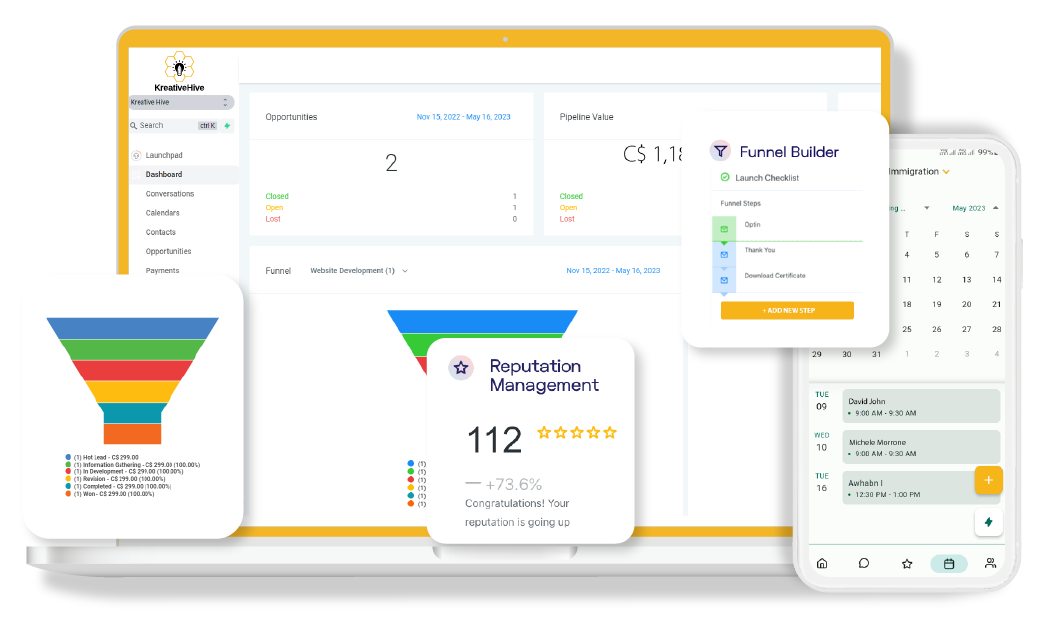
- Pipeline View: Real-time visibility. No blind spots.
- Automation: Reps should never manually send the same follow-up twice.
- Mobile: If it doesn’t work in the field, it doesn’t work.
- Reports: Data that makes decisions easier. Not harder.
- Integrations: It must play nice with your stack (CRM, email, Slack, etc.)
Ask your team one question: “What’s the most pointless thing you do every day?” Automate that first.
Step 3: Cloud or On-Prem?
Default is cloud. Fast, scalable, zero IT overhead.
But if you're in a compliance-heavy industry (finance, pharma, etc.), on-prem makes sense. You own the data. You control the risk.
Don’t follow the crowd. Follow your constraints.
Step 4: If It’s Not Easy, It’s Useless
Adoption = everything.
- Can a rep use it in 5 minutes without a manual?
- Does it work just as well on mobile?
- Can support answer questions fast?
Good UX = more sales activity. Bad UX = shelfware.
Step 5: Plan to Grow
Your team will grow. Your process will evolve. Choose a tool that:
- Scales with users and data
- Lets you build custom workflows
- Doesn’t break when you add new tools
Future-proof or be forced to switch later.
Step 6: Know the Real Cost
Pricing is more than the sticker.
Factor in:
- Licenses
- Setup/onboarding
- Support
- Downtime from bad adoption
Cheap tools that burn time are expensive. Smart tools that save time pay for themselves.
Step 7: Vet the Vendor Like a Cofounder
This isn’t a transaction. It’s a partnership.
- Read reviews on GBP, G2, Capterra - look for patterns, not just stars
- Ask how fast support responds when things break
- Talk to companies in your industry already using it
If they ghost you now, they’ll ghost you later.
Step 8: Always Test
No full rollouts without a pilot. Ever.
Give it to a small group. Track:
- Time saved
- Tasks automated
- Deals moved
If it works, scale. If not, walk away.
Step 9: Team Buy-In = Success
Even the best tool fails if the team doesn’t use it.
So:
- Involve reps early
- Show them wins (less admin, more selling)
- Train well. Support even better.
Adoption isn’t optional. It’s mission-critical.
Conclusion: Choose Like It Matters. Because It Does.
The right Sales Force Automation tool isn’t about bells and whistles. It’s about alignment. Fit. Simplicity. And the ability to scale with you.
- Start with your team’s reality
- Cut the fluff
- Test like a scientist
- Choose like an engineer
If you get it right, your team sells faster, smarter, and with way less stress.