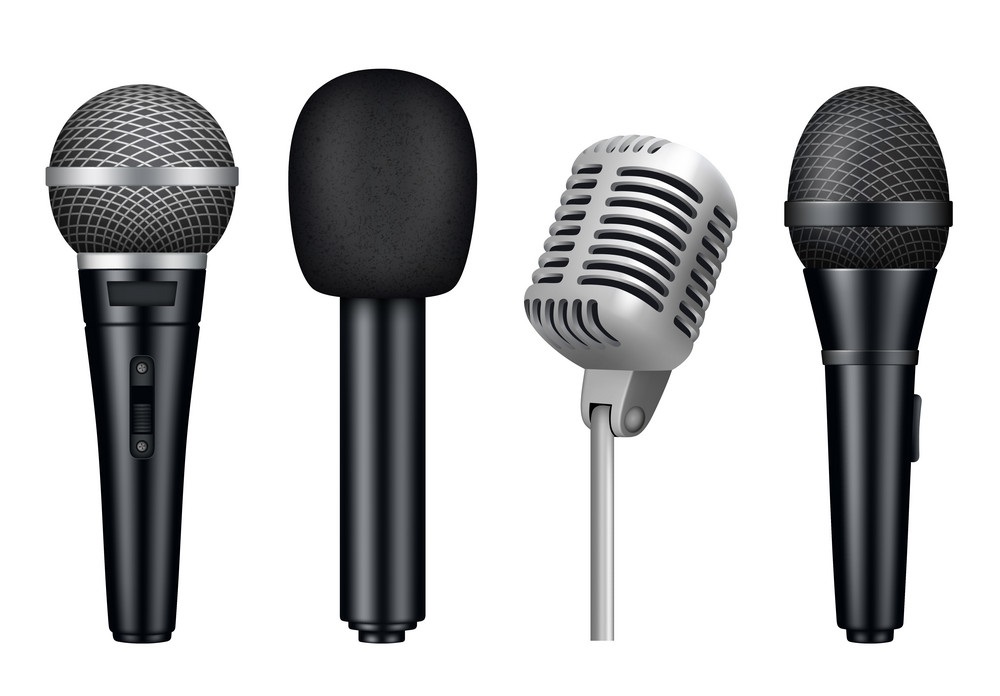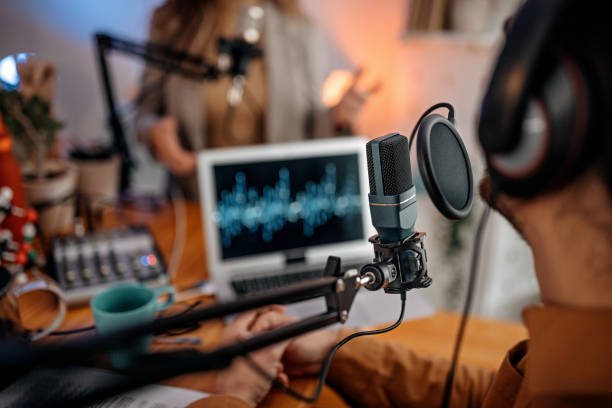
A great microphone can make or break your gaming experience—especially in 2025, where voice communication is critical for competitive gaming, streaming, and content creation. USB microphones have become the go-to choice for gamers thanks to their plug-and-play convenience, affordability, and impressive sound quality. But with so many options on the market, choosing the wrong mic is easier than you think.
From ignoring compatibility to falling for gimmicks, gamers often make costly mistakes when buying their first gaming USB microphone. If you want crystal-clear audio without frustration, it’s important to know what not to do before hitting that “Buy Now” button. This blog will walk you through seven common mistakes to avoid when purchasing a gaming USB mic, so you can make a smarter, long-lasting investment.
Buying Based on Looks or Brand Hype Alone
One of the most common mistakes is choosing a mic purely because it looks cool or is hyped by influencers. While design and branding matter to some extent, they shouldn't be the only reason you make your decision. A mic with RGB lighting or a flashy name doesn’t automatically mean it delivers great sound. Many lesser-known or minimalist models outperform popular options in actual voice clarity, noise control, and durability.
Don’t get caught in the trap of style over substance. Focus on specs like bit rate, sample rate, pickup pattern, and build quality rather than aesthetics or marketing buzzwords. A mic’s primary job is to make you sound great, not just look cool on your desk. Do your research and look at performance comparisons and user reviews instead of following trends blindly. Your voice deserves better than a pretty mic that underdelivers.
Ignoring the Microphone's Pickup Pattern
Not all USB microphones are created equal when it comes to how they capture sound. A pickup pattern (or polar pattern) determines the direction from which the mic captures audio. Most gaming setups benefit from cardioid mics, which focus on picking up sound directly in front of the microphone—ideal for solo use like streaming or Discord chats. Omnidirectional mics, on the other hand, pick up sound from all directions, which can result in more background noise.
Using the wrong pickup pattern can lead to muddy, echo-filled audio that’s hard to fix later. Gamers who stream or use voice chat should avoid omnidirectional or stereo patterns unless they know how to control their environment. Cardioid (and sometimes supercardioid) patterns offer the clearest and cleanest sound for focused gaming sessions. Always check the mic specs and make sure the pickup pattern suits your setup and intended use.
Overlooking System Compatibility and Software Support
Not all USB mics play nicely with every system. Some mics work flawlessly on Windows but have limited support on macOS or Linux. Others may lack functionality without companion software, which might only be available on certain platforms. Gamers often skip checking compatibility—especially those who switch between console and PC gaming or use multiple operating systems.
Additionally, if the mic requires proprietary software for features like EQ, gain control, or noise filtering, make sure it’s available for your OS. Otherwise, you might end up stuck with limited functionality. Before purchasing, check whether the microphone works natively with your setup and if additional software is needed to unlock its full potential. Compatibility checks can save you from driver headaches, failed recordings, and lost performance features down the line.
Not Considering Your Room’s Acoustics
A microphone will only sound as good as the room it’s in. Even high-end USB mics can perform poorly in echoey or noisy environments. One of the biggest mistakes gamers make is expecting a mic to compensate for a loud PC fan, clacking keyboard, or untreated room. While software filters help, they can’t work miracles. Buying an expensive mic and then using it in a bad acoustic space leads to frustration and disappointing results.
Before you spend big, think about where and how you'll be using the mic. Is your gaming setup in a small room with hard walls? Are there background noises like traffic or family activity? In these cases, a more directional mic with noise rejection (like a dynamic USB mic) may be better than a sensitive condenser mic. Also, consider using pop filters, foam windscreens, or even basic room treatments like curtains or rugs to improve your space. Good audio isn’t just about the gear—it’s about the environment, too.
Forgetting About Mounting Options and Desk Space
Many gamers forget to factor in how the mic will physically fit into their setup. Desk-mounted mics can take up more space than expected, and default tripod stands often place the mic too far or too low for ideal voice capture. Not every mic comes with flexible mounting options, and some don’t support boom arms or shock mounts unless you buy extra gear.
When buying a mic, check if it includes or supports standard mounting (like ⅝” threads) and whether it can work with boom arms or shock mounts. Think about where the mic will sit during gameplay and whether it blocks your monitor, keyboard, or face cam. An improperly placed mic can make you sound worse and clutter your desk. Planning your layout ahead of time ensures that the mic enhances—not disrupts—your gaming experience.
Skimping on Audio Monitoring Features
Many entry-level USB mics skip important features like real-time monitoring via a headphone jack. This is a huge miss, especially for streamers or competitive players who need to ensure their voice is coming through clearly. Without monitoring, you may not notice issues like popping, mic clipping, or background hum until after a session ends. This leads to poor quality recordings or missed communications in-game.
Look for a mic with a built-in 3.5mm headphone output so you can monitor your voice in real time. Some higher-end mics also include hardware controls for gain, mute, and monitor mix balance—very handy during intense matches or livestreams. While these features may add a bit to the cost, they massively improve your control and confidence in how you sound. Skipping them might save money upfront, but could cost you quality and convenience later.
Underestimating Future Use or Upgrade Paths
Many gamers buy their first USB mic thinking they'll only use it for casual Discord chats. Then streaming, podcasting, or YouTube content creation enters the picture—and suddenly that basic mic doesn’t cut it. One of the most common regrets is buying a mic that doesn’t grow with your needs. A cheap, entry-level mic might sound okay today, but feel limiting once you want to improve production quality.
When shopping, ask yourself: “Will I want to stream, record voice-overs, or make videos in the future?” If the answer is even “maybe,” consider getting a USB mic with better audio specs and expandability—like gain control, monitoring, or software support. Some USB mics even offer hybrid USB/XLR output, letting you upgrade to an audio interface later. Planning ahead ensures your mic remains a tool, not a bottleneck, as your gaming or content journey evolves.
Conclusion: Buy Smart, Sound Better
In 2025, voice clarity is just as important as visuals in the gaming world. Whether you're leading a raid, shouting callouts, or building your streaming empire, a quality USB microphone is a key part of your setup. But buying the right one isn’t just about spending more—it’s about avoiding common mistakes that can derail your sound quality or waste your money.
By focusing on performance over hype, understanding pickup patterns, checking compatibility, and planning your setup, you’ll be miles ahead of most first-time buyers. Avoid the pitfalls, invest in a mic that suits your needs, and you’ll enjoy crisp, clean audio that makes your voice stand out—in all the right ways.