Integrating Salesforce with other enterprise systems can transform business operations, improve customer experience, and unlock actionable insights. Yet, despite its potential, many Salesforce integration projects fail or underperform due to unclear objectives, poor data quality, or lack of planning.
The good news? By following seven critical pre-integration steps, organizations can minimize risk, ensure data integrity, and deliver a seamless, scalable integration that drives measurable business value.
Step 1: Define Clear Salesforce Integration Objectives
Every successful integration begins with a clear purpose. Without well-defined objectives, projects often drift, budgets increase, and teams waste valuable time.
Why it matters: Clear goals align business needs with technical execution and provide measurable outcomes to track success.
Example: A retail company integrating Salesforce with SAP ERP doesn’t just aim to “improve operations.” They define specific goals such as:
- Synchronizing customer accounts within five minutes
- Reducing order processing time by 40%
- Eliminating duplicate data entry
Pro tip: Document 3–5 measurable outcomes and get stakeholder sign-off before proceeding. This clarity prevents misunderstandings and sets a solid foundation for the project.
Step 2: Assess Systems and Data Architecture
Once objectives are set, the next step is understanding your current systems and data landscape.
Why it matters: Incompatible data types, missing fields, or inconsistent identifiers are common causes of integration failure. Conducting a thorough assessment reduces surprises and ensures smooth data flow.
Example: A healthcare organization integrating Salesforce with its EHR system discovers mismatched patient IDs and 15% incomplete legacy records. This reveals the need for data cleansing and unique identifier mapping before integration begins.
Pro tip: Maintain a data inventory spreadsheet listing objects, fields, data types, and quality issues. Identify duplicates, orphaned records, and formatting inconsistencies to create a strong baseline for integration.
Step 3: Choose the Right Integration Method and Tools
Not all integration approaches are equal. Choosing the right method and tools ensures efficiency, scalability, and minimal disruption.
Why it matters: Using the wrong integration method can lead to slow performance, incomplete data, or system errors.
Example: A financial services firm integrating Salesforce with a banking system uses:
- Apex Callouts for real-time credit checks (2–3 second response)
- MuleSoft middleware for nightly batch processing of 500,000+ records
Pro tip: Align integration patterns with your business needs. Real-time APIs work for small bursts, middleware handles complex multi-system workflows, and Salesforce Connect allows data virtualization without storing external data locally.
Step 4: Plan Data Mapping and Transformation
Different systems store data in different formats. Mapping and transforming data ensures that information moves accurately and consistently.
Why it matters: Poor mapping leads to errors, duplicates, or misaligned information that can disrupt operations.
Example: An e-commerce company integrating Salesforce with a delivery system maps address fields and transforms them from separate Salesforce fields (Street, City, State, ZIP) into a single string required by the delivery system. Currency formats and primary keys are also adjusted to ensure proper synchronization.
Pro tip: Build a detailed data mapping document with source and target fields, transformation rules, and sample values. Test with real-world edge cases such as international addresses or special characters.
Step 5: Implement Security and Compliance Measures
Integrating systems increases exposure to sensitive data. Implementing robust security and compliance measures is non-negotiable.
Why it matters: Breaches or non-compliance with regulations like GDPR, HIPAA, or SOX can lead to fines, reputational damage, and operational setbacks.
Example: A pharmaceutical company integrating Salesforce with a clinical trial system uses:
- OAuth 2.0 for authentication
- TLS 1.2 encryption for data in transit
- Field-level security and audit logs
- Role-based permissions and quarterly security reviews
Pro tip: Use a security checklist covering authentication protocols, encryption standards, API limits, error logging, and regulatory compliance. Avoid hardcoding credentials—use secure secret management tools.
Step 6: Develop and Test Integration Components
With planning and security in place, it’s time to build and rigorously test the integration.
Why it matters: Even well-planned integrations can fail without thorough testing. Testing ensures components work individually and together under realistic conditions.
Example: A manufacturing company integrating Salesforce with its Product Management System runs:
- Unit tests for individual components
- Integration tests for end-to-end workflows
- Performance tests under heavy loads
- Error-handling tests for system timeouts or invalid data
Pro tip: Test in a sandbox environment with production-like data. Document results, including successes, failures, and rollback procedures.
Step 7: Monitor, Optimize, and Continuously Improve
Integration is not a one-time task—it’s an ongoing process. Continuous monitoring ensures smooth operation and helps identify areas for optimization.
Why it matters: Without monitoring, small issues can escalate into major disruptions, impacting business performance and customer satisfaction.
Example: A marketing agency integrating Salesforce with BigQuery monitors API call volumes, sync latency, and error logs. By moving non-critical batch processes to off-peak hours, they reduce costs by 35% and improve performance.
Pro tip: Use Salesforce Event Monitoring or Splunk dashboards. Set alerts for errors, review logs regularly, and optimize integration processes over time.
A Practical Salesforce Integration Roadmap
To put these steps into action, organizations can follow this week-by-week roadmap:
- Weeks 1–2: Define objectives, assess systems, and document findings
- Week 3: Select integration tools and methods
- Weeks 4–5: Create data mapping and transformation rules; validate with sample data
- Week 6: Configure security, authentication, and compliance measures
- Weeks 7–9: Develop integration components and conduct testing
- Week 10: Deploy to production and monitor performance during stabilization
How Hexaview Excels in Salesforce Integration
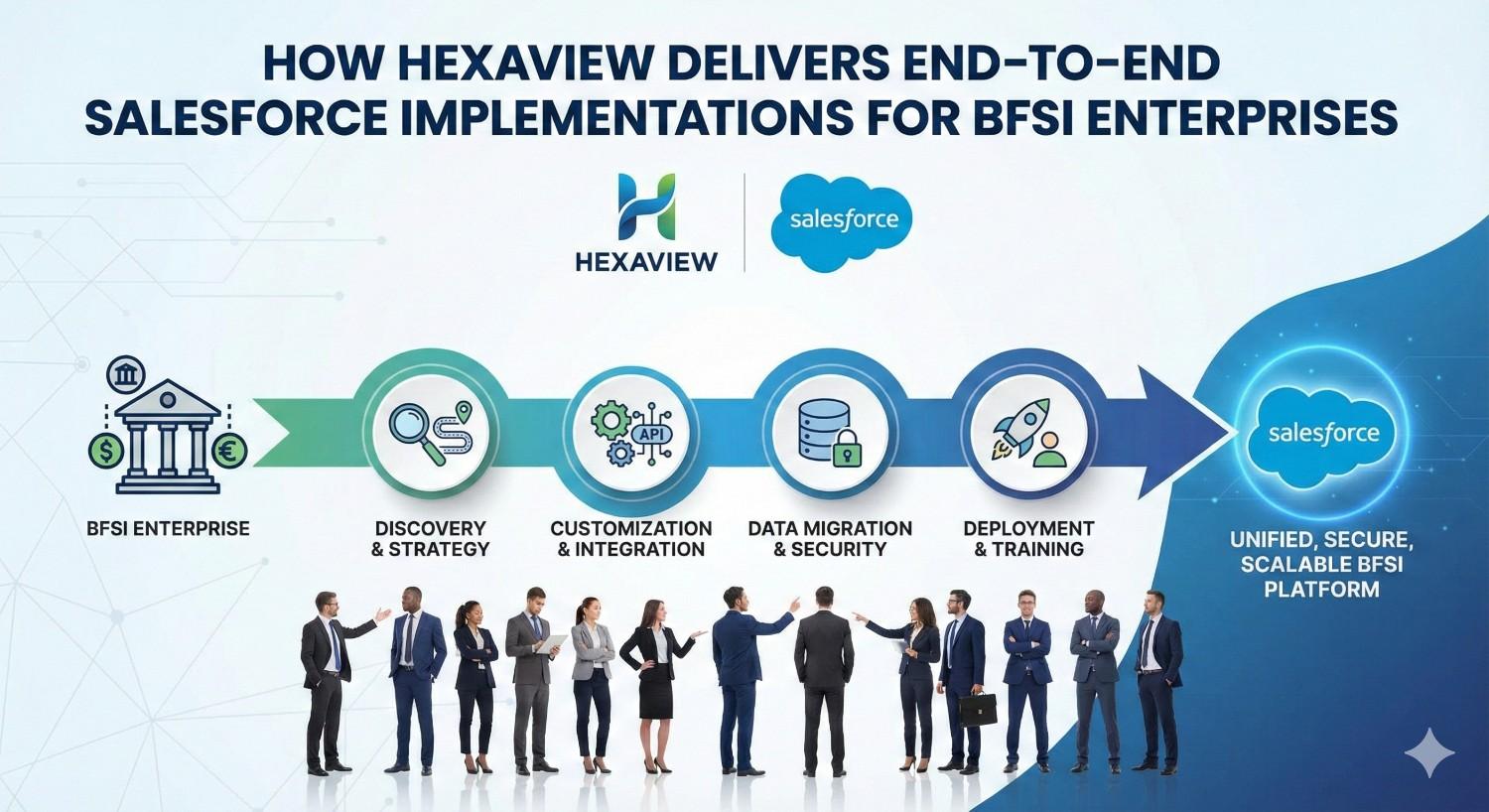
At Hexaview Technologies, we help organizations unlock the full potential of Salesforce integrations with a structured, step-by-step approach. Our expertise includes:
- Customized Integration Strategies: Aligning Salesforce with ERP, marketing, analytics, and legacy systems based on your business objectives.
- Data Accuracy and Transformation: Ensuring seamless mapping, transformation, and synchronization across multiple systems.
- Security and Compliance: Implementing robust governance, encryption, and regulatory compliance measures.
- End-to-End Testing & Monitoring: Rigorous testing in sandbox environments, followed by continuous monitoring and optimization in production.
- Proven Track Record: Delivering scalable, reliable, and high-performance integrations that maximize ROI and operational efficiency.
With Hexaview, businesses don’t just integrate Salesforce—they transform operations, enhance customer experience, and drive measurable results.
Conclusion
A well-planned Salesforce integration is more than a technical project—it’s a strategic advantage. Following these seven critical steps—defining objectives, assessing systems, choosing tools, mapping data, securing systems, testing thoroughly, and continuous monitoring—ensures organizations reduce risk, maintain data integrity, and unlock real business value.
Partnering with experts like Hexaview Technologies guarantees that every integration is not only successful but also optimized for long-term scalability and efficiency.



Most B2B SaaS companies are using Salesforce as their CRM and system of record.
Salesforce has rightfully earned the position of being the biggest SaaS of them all.
But what started out as the little guy declaring “No Software” against the “Big Iron” establishment has turned into David becoming Goliath.