

As email marketing continues to be one of the most direct and efficient ways for businesses to communicate with their audience, ensuring deliverability and security has become a top priority. While many marketers are familiar with standard email authentication methods like SPF, DKIM, and DMARC, there’s a newer standard gaining attention in the email ecosystem: BIMI.
BIMI, which stands for Brand Indicators for Message Identification, is a relatively new email authentication standard that allows brands to display their logos next to authenticated emails in the inbox. This initiative aims to increase brand visibility, improve trust, and provide an additional layer of email security. By setting up a BIMI record, businesses can make their emails stand out and help recipients instantly recognize legitimate messages.
What Is BIMI?
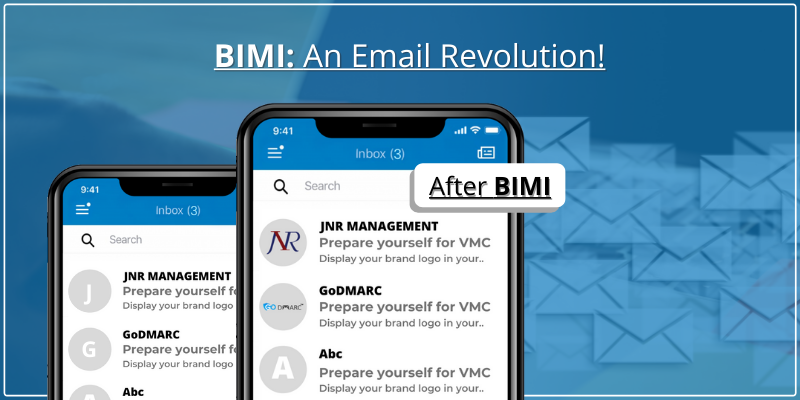
BIMI is a standard that enables a brand’s logo to appear in the inbox next to authenticated emails. This email authentication standard works alongside SPF, DKIM, and DMARC to verify the authenticity of the sender’s email and protect against phishing attacks.
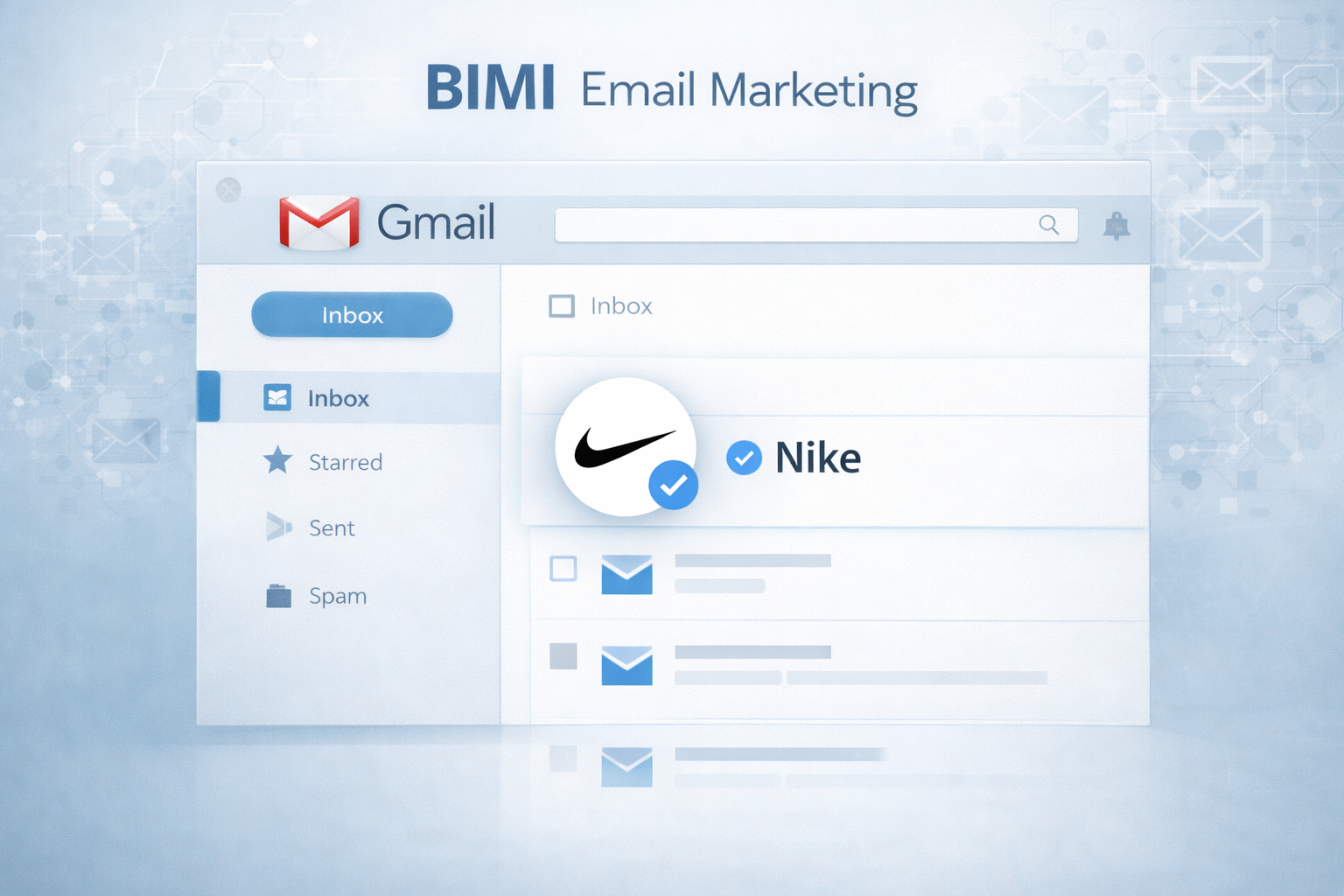
For example, when a user opens an email from a trusted brand, they will not only see the email subject line and content but also the brand’s logo displayed next to the sender’s name. This visual element strengthens brand recognition and reinforces the legitimacy of the message.
BIMI is still being adopted across different email clients, but major email providers such as Gmail, Yahoo, and AOL already support it, and its usage is expected to grow.
How Does BIMI Work?
BIMI works by combining email authentication methods with visual branding. The process is simple but requires several steps for successful implementation:
Authenticate Your Emails: The first step in implementing BIMI is ensuring that your email authentication protocols are correctly set up, including SPF (Sender Policy Framework), DKIM (DomainKeys Identified Mail), and DMARC (Domain-based Message Authentication, Reporting, and Conformance).
Create and Host Your Logo: Your company’s logo needs to be available in SVG format, a high-quality vector image that is optimized for display in email clients.
Add a BIMI Record: Once the logo is ready, you’ll add a BIMI record to your domain’s DNS settings. This is a TXT record that tells email servers to display your logo when they receive authenticated emails from your domain.
Verify with a Trusted Authority: The final step involves verifying your domain with an authority such as VMC (Verified Mark Certificates). This step ensures that only authentic, verified brands can use BIMI.
By following these steps, you ensure that your emails are both secure and visually recognizable, increasing trust with your recipients and making your email marketing efforts more effective.
The Importance of BIMI for Email Marketing
While BIMI is still evolving, it offers several key benefits that can enhance your email marketing strategy. Let’s explore why implementing BIMI is becoming increasingly important.
1. Improved Brand Recognition
BIMI allows you to display your logo next to emails, making your brand immediately recognizable in the inbox. This is particularly important in a crowded inbox where recipients may be overwhelmed by countless emails. The visual cue of a trusted brand logo stands out, encouraging recipients to engage with your emails.
2. Enhanced Trust and Security
BIMI’s role in email security cannot be overstated. The presence of a verified logo indicates that the email has passed multiple security checks, including SPF, DKIM, and DMARC. This reassures recipients that the email is legitimate, reducing the likelihood of phishing attacks or email spoofing.
By associating your brand with a trusted email, you are signaling to your audience that they can trust your communications. This is especially valuable for businesses in industries like finance, healthcare, and eCommerce, where trust is paramount.
3. Increased Deliverability
BIMI contributes to improved email deliverability. By implementing BIMI, you not only protect your brand from phishing but also improve your reputation with email providers. This can help your emails land in the inbox rather than the spam folder.
Email clients that support BIMI use it as an additional trust signal. When a recipient sees your verified logo, it confirms that you are following best email security practices, which increases the likelihood of your emails reaching their inbox.
4. Competitive Advantage
With BIMI being a newer standard, businesses that implement it early can set themselves apart from competitors. By leveraging BIMI, your emails will be more visually appealing and trustworthy compared to brands that do not display their logos. This differentiation can lead to better engagement rates, higher click-through rates, and improved customer loyalty.
5. Better Email Performance Metrics
The combination of improved deliverability, increased trust, and enhanced brand recognition ultimately contributes to better performance metrics. By encouraging recipients to open your emails and trust your communications, you can achieve better engagement rates and more successful email campaigns.
How to Set Up a BIMI Record
Implementing BIMI is a straightforward process, but it requires a few technical steps. Here’s how you can set up BIMI for your domain:
Step 1: Ensure Your Email Authentication is in Place
Before implementing BIMI, make sure your emails are authenticated using SPF, DKIM, and DMARC. This is essential because BIMI relies on these email authentication standards to verify the legitimacy of your emails.
Step 2: Create an SVG Version of Your Logo
Your logo needs to be in SVG format. The logo should be clear, high-resolution, and easy to display across various screen sizes. Ensure that the logo adheres to the technical requirements set by BIMI standards.
Step 3: Add the BIMI Record to Your DNS
Once you have your logo, you need to add a BIMI record to your domain’s DNS settings. This is a simple TXT record that includes a reference to your logo’s location and verifies that your domain is authorized to display the logo.
Step 4: Verify Your Logo with a VMC
To ensure your logo is verified, you’ll need to obtain a Verified Mark Certificate (VMC). The VMC process is managed by certification authorities and provides the final seal of approval for your BIMI implementation.
Step 5: Monitor and Maintain Your BIMI Setup
After setting up BIMI, it’s important to monitor its performance regularly. Ensure that your emails are being authenticated properly and that your logo is displaying correctly. Stay updated on any changes to BIMI standards and keep your email authentication protocols in check.
Final Thoughts
Implementing a BIMI record is an important step toward improving email deliverability, building brand recognition, and securing your email marketing efforts. By ensuring that your emails are authenticated and displaying your brand’s logo, you signal to recipients that your communications are trustworthy and legitimate.
As email clients increasingly adopt BIMI, businesses that implement this standard early will be able to differentiate themselves and build stronger relationships with their audience. With improved deliverability, better security, and enhanced branding, BIMI is quickly becoming a valuable tool in the email marketer’s arsenal.
If you want to take your email marketing efforts to the next level, setting up a BIMI record should be at the top of your list.




BIMI, or Brand Indicators for Message Identification can be a new e-mail authentication standard that affixes your exclusive brand logo to all the emails you send out by means of your brand’s e mail domain.
You may be asking yourself that as the recipient of your email your e-mail client is currently showing brand logos.
Ordinarily, logos are automatically curated by email client vendors, pulling them from numerous sources.
Distinctive logos show up depending on various email clientele and devices.
Get much more info about Bimi recordWith BIMI, domain owners and brands are in control of their official displayed logos, which is maintained consistently in all inbound emails.
The brand logo could be the most critical identifying element of your brand, thus affixing the logo on every e-mail received by your clientele, partners and employees builds up a sense of trust and assurance.