Every business depends on stable IT systems to serve customers, manage data and support daily operations. When your infrastructure performs well your teams work with confidence and your services stay available without interruption.
However, many organizations focus only on software updates and security policies while they overlook the physical environment of their server room. That environment plays a direct role in performance reliability and hardware health. When you organize your space with care you protect your investment and reduce avoidable downtime.
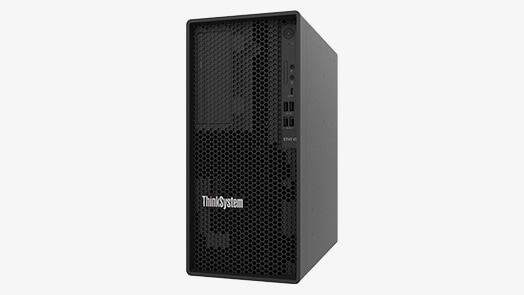
This approach becomes even more important when you rely on tower servers because their design depends heavily on proper airflow spacing and placement.
Let us continue reading to understand how a well planned server data center environment supports cooling cable management and power stability.
1. Choose the Right Location for Your Server
The first step toward maximizing hardware lifespan begins with location planning. When you select the right infrastructure facility, you create a stable base for all other improvements. Therefore you should choose a space that stays dry, cool and protected from direct sunlight.
You should avoid areas near water pipes, kitchens or windows because moisture and heat can damage internal components over time. Instead you should select a data center environment with solid walls and minimal foot traffic. This decision reduces dust buildup and accidental disturbances.
Tower servers are designed for flexible deployment and perform best when placed on a flat and stable surface. When you establish a calm and well-controlled environment from the beginning, you support optimal airflow and stability, helping fans, power supplies, and internal boards operate efficiently and consistently over time.
2. Maintain Proper Airflow and Temperature Control
Temperature control directly affects hardware health. When heat builds up inside a server room components wear out faster and performance drops. Therefore you must design your layout around airflow efficiency.
First you should place servers with enough space between them. This spacing allows cool air to move freely around each unit. Next you should position intake vents toward cooler air sources and keep exhaust areas clear. When you block airflow you force fans to work harder which increases internal heat.
You should also install reliable air conditioning systems that maintain a steady temperature throughout the day. Sudden temperature changes create stress inside processors and memory modules. As a result, stable cooling extends the life of your tower servers and reduces the risk of unexpected shutdowns.
3. Organize Cables for Clean and Safe Operations
Cable clutter creates more problems than most teams realize. When cables pile up behind servers they block airflow and increase heat retention. Therefore you must treat cable management as a core practice rather than an afterthought.
Key Steps for Smart Cable Management
- Bundle cables using ties and route them along walls or dedicated trays
- Separate power cables from data cables to reduce electrical interference
- Remove unused cables during system upgrades
When you follow these steps you improve airflow and reduce the risk of accidental unplugging. In addition your technicians can perform maintenance tasks faster because they can trace connections without confusion. Over time this organization supports consistent performance and protects sensitive components inside your servers.
4. Control Dust and clean the server deployment environment Regularly
Dust may seem harmless yet it causes serious damage when it collects inside hardware. When dust blocks ventilation paths internal temperatures rise and fans work harder than designed. Therefore you must create a cleaning routine and follow it consistently.
You should vacuum floors with anti static equipment and wipe surfaces with proper cleaning materials. At the same time you should inspect air filters and replace them on schedule. When you keep the server deployment environment clean you reduce the load on cooling systems and maintain smooth airflow.
Furthermore you should train staff to avoid bringing food or unnecessary items into the server room. This simple rule reduces contamination and keeps the space professional. Clean surroundings create stable conditions that help tower servers operate within safe thermal limits for many years.
5. Ensure Stable Power and Backup Protection
Power quality directly influences hardware lifespan. When voltage fluctuates or outages occur components experience stress that shortens their operational life. Therefore you should design your power system with protection in mind.
Essential Power Protection Measures
- Install an uninterruptible power supply for each critical system
- Use surge protectors to guard against voltage spikes
- Monitor power usage regularly to prevent overload
- Test backup systems on a routine schedule
When you implement these measures you protect processors, storage drives and power supplies from sudden failure. In addition, consistent power allows tower servers to operate under stable electrical conditions which reduces wear on internal circuits. As a result your organization avoids costly repairs and unplanned downtime.
6. Plan Smart Equipment Layout and Spacing
Physical arrangement affects both cooling efficiency and maintenance access. When you place systems too close together heat builds up quickly and technicians struggle to perform inspections. Therefore you should design your layout with clear spacing and logical grouping.
You should group related systems together such as application servers and backup units. At the same time you should leave enough space around each unit for air circulation and safe access. This spacing allows your team to replace parts without moving other systems unnecessarily.
Moreover you should avoid stacking devices directly on top of each other unless the manufacturer clearly supports that configuration. When you respect spacing guidelines you reduce thermal pressure and mechanical strain. Over time this careful planning helps your tower servers maintain consistent performance without overheating or vibration issues.
7. Monitor Conditions and Review Performance Regularly
Organization does not end after setup. Instead you must monitor environmental conditions and review performance data on a regular basis. When you track temperature, humidity and power usage you identify small issues before they become serious problems.
You should install environmental sensors that provide real time alerts. When temperatures rise above safe levels your team can respond immediately. At the same time you should review system logs and hardware health reports every month.
This ongoing attention allows you to adjust cooling settings, improve layout or replace aging components at the right time. Because tower servers often support critical workloads you must treat monitoring as an active responsibility rather than a one time task. Continuous review keeps your server room organized, efficient and prepared for growth.
Conclusion
A well organized server server deployment environment reflects strong leadership and long term thinking. When you control temperature, manage cables, maintain clean surroundings and protect power quality you create an environment where hardware can thrive. Each best practice builds on the other and together they form a complete strategy that supports reliability and performance.
When you apply these seven best practices you extend the lifespan of your systems and protect the value of your investment. More importantly you give your teams the confidence to focus on innovation and service instead of constant troubleshooting. It becomes a reliable backbone for your business growth. By taking consistent action today you ensure that your infrastructure supports you tomorrow and for many years ahead.


A good graphic card will increases the performance of your computer.
That’s because, with a high-temperature GPU, it tends to work harder and causes more stress on itself leading it eventually breaks down.The most common way to prevent this from happening is by keeping the computer cool and well ventilated at all times so that it won’t be too hot inside your case (the place where all your computer parts are put).Also, keeping a good airflow in your PC is very important because if there is no proper air circulation, then dust might be accumulated inside, creating some sort of heat trap that can cause overheating in your PC.To help you keep your computer cool and well ventilated, We recommend that you buy a good case fan or mount your graphic card.Remove Dust From Your ComputerDust is one of the main reasons why your computer tends to get overheated.
If there is too much dust inside your computer, heat buildup will occur, which can damage your graphic card and even other parts of your computer.To prevent this from happening, regularly clean up the dust (especially on ventilating areas) frequently or at least once a month so that it doesn’t accumulate and cause overheating.Also, if you use the computer to play games, make sure that your computer has ample ventilation holes on the sides and back.
If possible, place your PC in a well-ventilated area so it won’t cause overheating inside your room.Consider Replacing The Power SupplyReplacing the power supply is a very effective way to prolong the lifespan of your graphic card because it increases the number of times you can turn on and off your computer.There are many reasons why a power supply can fail: sudden surge, misconfigured power settings that cause incorrect voltages, overloading caused by adding extra devices while not upgrading the PSU’s wattage, defective/old or dying capacitors inside the PSU etc.
However, those fans are very cheap and not always reliable, making them less desirable for people who want to prolong the lifespan of their graphic cards.Better quality GPU fans are thicker, faster and use better technology, making them more efficient than entry-level fans (making them last longer).
Also, don’t just buy any cheap brand; make sure it’s reputable and popular first.Run Games At A Lower Frame Rate Rather Than Higher ResolutionToday’s games are very graphics-intensive, which means that if you have a weak graphics card, then it’ll struggle to run games at high settings.