In modern HR systems, clearly defining roles and responsibilities is essential for efficient workforce management. In Workday HCM, Job Profiles and Positions Setup are key concepts that help organizations structure their workforce effectively. If you are a beginner, learning through a Workday HCM Course in Telugu can help you understand these concepts easily and apply them in real-world HR scenarios.
In this blog, we will explore job profiles, positions, their setup, and how they work together in Workday.
What are Job Profiles in Workday?
A job profile in Workday defines the general role of an employee within an organization. It includes details such as:
Job title
Responsibilities
Skills required
Qualifications
In simple terms, a job profile describes what a job is.
For example, a “Software Engineer” job profile may include coding, testing, and development responsibilities.
What are Positions in Workday?
A position represents a specific instance of a job within the organization. It is tied to a particular role in a specific team or department.
It includes:
Employee assignment
Reporting manager
Location
Compensation details
In simple terms, a position defines who is doing the job and where.
Difference Between Job Profiles and Positions
Understanding the difference is important:
Job Profile = Definition of the role
Position = Actual role assigned in the organization
For example:
Job Profile: “HR Manager”
Position: “HR Manager – Hyderabad Office”
Why are Job Profiles Important?
Job profiles are essential because they:
Standardize roles across the organization
Define responsibilities clearly
Help in recruitment and training
Support performance management
They ensure consistency in job roles.
Why are Positions Important?
Positions help in:
Managing employee assignments
Defining reporting structure
Tracking workforce data
Planning workforce requirements
They bring structure and clarity to employee management.
How Job Profiles and Positions Work Together
Job profiles provide the framework, while positions bring that framework into action.
For example:
A job profile defines a role
A position assigns that role to an employee
Together, they help manage the workforce effectively.
Steps to Set Up Job Profiles in Workday
Setting up job profiles involves:
Defining the job title
Adding job description
Specifying required skills and qualifications
Assigning job families and categories
Saving and activating the profile
This creates a standard role definition.
Steps to Set Up Positions in Workday
Position setup includes:
Creating a new position
Assigning a job profile
Defining supervisory organization
Setting location and compensation
Assigning reporting manager
Activating the position
This ensures the role is ready for employee assignment.
Types of Positions in Workday
1. Filled Position
Assigned to an employee
Active and in use
2. Unfilled Position
No employee assigned
Open for hiring
3. Frozen Position
Temporarily inactive
Not available for hiring
Key Features of Job Profiles & Positions
Standardized role definitions
Flexible position management
Real-time updates
Integration with other modules
Easy tracking and reporting
These features make workforce management efficient.
Step-by-Step Learning Roadmap
If you are a beginner, follow this roadmap:
Learn Workday basics
Understand job profiles
Study position management
Practice setup processes
Work on real-time scenarios
Learn reporting features
Explore advanced configurations
A Telugu course will guide you through each step clearly.
Real-World Applications
Job profiles and positions are used in:
IT Companies: Defining technical roles
Healthcare: Managing staff roles
Finance: Structuring departments
Retail: Workforce planning
These applications show their importance in HR management.
Common Challenges
Understanding role definitions
Managing multiple positions
Aligning job profiles with business needs
These challenges can be overcome with practice.
Tips for Beginners
Start with basic concepts
Practice creating job profiles
Understand position structure
Use real-world examples
Revise regularly
Consistency is key to mastering these concepts.
Career Opportunities
After learning job profiles and positions, you can explore roles such as:
Workday HCM Consultant
HR Analyst
HR Executive
Workforce Planning Specialist
These roles are in high demand.
Benefits of Learning Job Profiles & Positions
Strong understanding of HR systems
Better job opportunities
Improved workforce management skills
Industry-ready knowledge
Conclusion
Job profiles and positions setup are fundamental components of Workday HCM. They help define roles and manage employees effectively within an organization. By enrolling in a Workday HCM Course in Telugu, you can learn these concepts in a simple and practical way.
Start with the basics, practice consistently, and follow a structured learning path. With dedication, you can master Workday HCM and build a successful career in HR technology.
https://courses.frontlinesedutech.com/workday-hcm-course-in-telugu-by-flm/?utm_source=sireesha&utm_medium=off-page&utm_campaign=article_submission_April26


Description
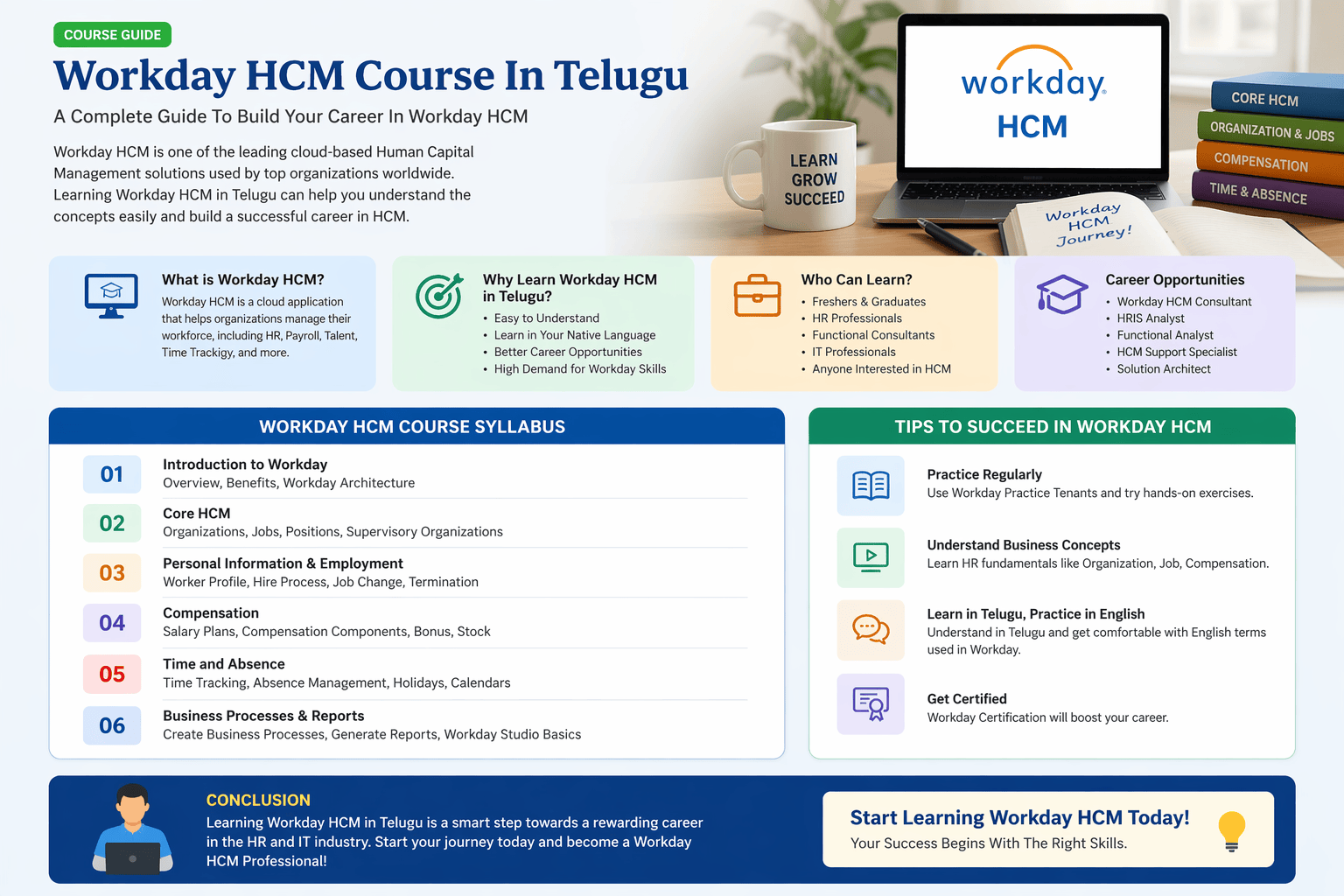
Follow a complete beginner to advanced roadmap for mastering Workday HCM through a structured learning approach.
Introduction
Learning a new technology requires a clea
Rainbow Training Institute is offering Workday Online Training, Workday HCM best Online Course from Hyderabad, Job Oriented Workday HCM Online Classes from Hyderabad, Noida, Bangalore, Pune, USA.https://rainbowtraininginstitute.com/workday-training-workday-hcm-training-in-hyderabad/workday-training/workday-online-training-workday-hcm-online-training