

On a live construction project, acting on an outdated drawing can mean tearing out a freshly installed MEP system because the structural element it clashes with was revised two weeks ago, and nobody on site knew.
That happens because unresolved RFIs back up across trades, submittals get buried in email chains, and clashes that should have been caught in design only show up when crews are already on the floor. And when information lives in ten different places, it always will.
In this article, we’ll look at how the Common Data Environment platform cuts through that confusion and gives project teams back control of their work.
8 Ways a Common Data Environment Keeps Construction Projects on Track
1. Everyone Works Off the Same Current Version of Every Document
On most construction projects, document control is the first thing that breaks down. Drawings get downloaded, saved locally, shared over WhatsApp, and printed. And within days, three different versions are circulating across the project.
A CDE eliminates that by making one published version the only accessible version. When a drawing is revised, the old one is superseded automatically. Anyone who opens the file gets the current one, whether they are the project architect in the office or a site engineer on their phone.
2. Structural and MEP Clashes Get Resolved Before Crews Ever Step on Site
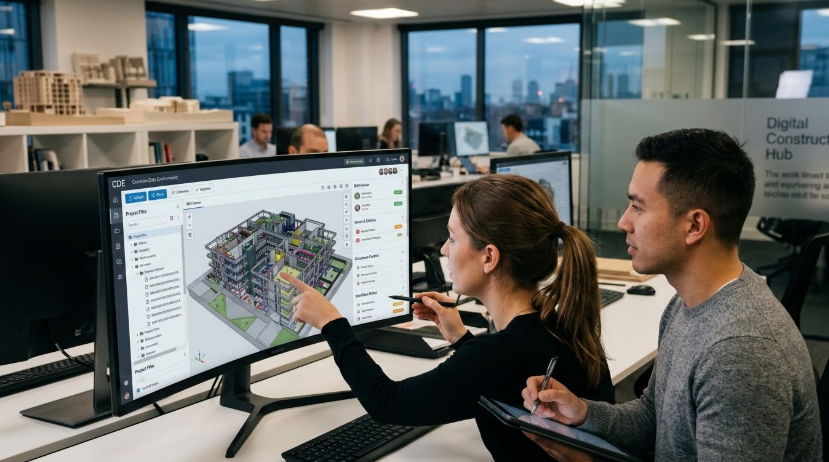
A CDE gives all disciplines, including structural, mechanical, electrical, and plumbing, access to the same federated model throughout design. That means clashes between a steel beam and a duct run get flagged and fixed during coordination, not when the ductwork is already being installed on the third floor.
Resolving a clash in the model takes hours. Fixing it on-site can take days and cost multiples of that in labor and materials.
3. RFIs and Submittals Move Through Approval Faster
RFIs and submittals stall when they travel through email threads, shared drives, and manual follow-ups.
In a CDE, the entire process lives in one place:
- The RFI is raised and assigned directly on the platform
- The approver gets an automatic notification
- Status is visible to everyone on the project in real time
- Nothing sits in someone's inbox waiting to be forwarded
On large projects where hundreds of RFIs run simultaneously, that visibility alone prevents significant schedule slippage.
4. Data Silos Between Trades and Disciplines Stop Slowing Projects Down
When each trade works in its own system, information has to be manually transferred between platforms, and that is where errors creep in. A CDE connects architects, engineers, contractors, and subcontractors to the same project data in real time. A design update made by the structural engineer is immediately visible to the MEP contractor, without anyone needing to send a file or make a phone call.
5. Every Revision Is Logged, so Disputes Get Resolved With Evidence
When something goes wrong on site, the first question is always who approved what and when. In a CDE, every document revision, comment, approval, and rejection is time-stamped and attributed to a named user.
That record doesn't disappear when someone leaves the project. If a contractor claims they were never sent the updated specification, the platform shows exactly when it was issued and who accessed it.
6. Onboarding Contractors and New Team Members Takes Days
Bringing a new subcontractor onto a live project usually means someone spending half a day forwarding documents, explaining folder structures, and hoping nothing gets missed. With a CDE, the new team member gets access to the platform and sees the current state of every document, drawing, and workflow relevant to their scope from day one.
Many CDE platforms also include online learning for teams, so new users get up to speed on the platform itself without pulling someone away from the project to run training.
7. Handovers Are Cleaner Because the Audit Trail Is Already Built
By the time a project reaches handover, the asset owner needs more than a stack of PDFs. They need a structured, reliable record that supports building and operating assets long after the contractor has left the site.
A well-managed CDE delivers exactly that. Here’s what is already in place by handover:
- As-built drawings, version-controlled throughout construction
- O&M manuals linked to the relevant asset or system
- Inspection records and sign-off documentation
- Warranties and supplier information organized by trade
8. Compliance and audit reviews stop eating into project time
ISO 19650 requires that information be created, reviewed, approved, and issued through a defined workflow, and that every step is documented. But that is rarely the only compliance obligation on a project.
Depending on the scope and region, teams are also accountable to:
- CDM regulations, which require documented evidence of health and safety information management throughout the project lifecycle
- The Building Safety Act 2022, which demands a full golden thread of information for higher-risk buildings from design through to occupation
- OSHA requirements in the US for site safety records and incident documentation
- Client-specific mandates from government and infrastructure clients that often go beyond ISO 19650
On projects where all of that runs through email and shared drives, proving compliance means manually reconstructing a timeline from inboxes and folder histories. A CDE handles it automatically.
Every document moves through structured approval states like work in progress, shared, and published, and each transition is logged with a timestamp and a named user. When an auditor asks who authorized the latest structural drawing and when it was issued to the contractor, that answer is three clicks away.
The Right Time to Implement a CDE Is Before the Next Project Starts
Most CDE platforms integrate with the tools already in use, and teams typically see the impact within the first few weeks of a live project. Start with document control, get your key trades on the platform, and build from there. The projects that finish on time and on budget are managed with accurate, accessible, shared information.