


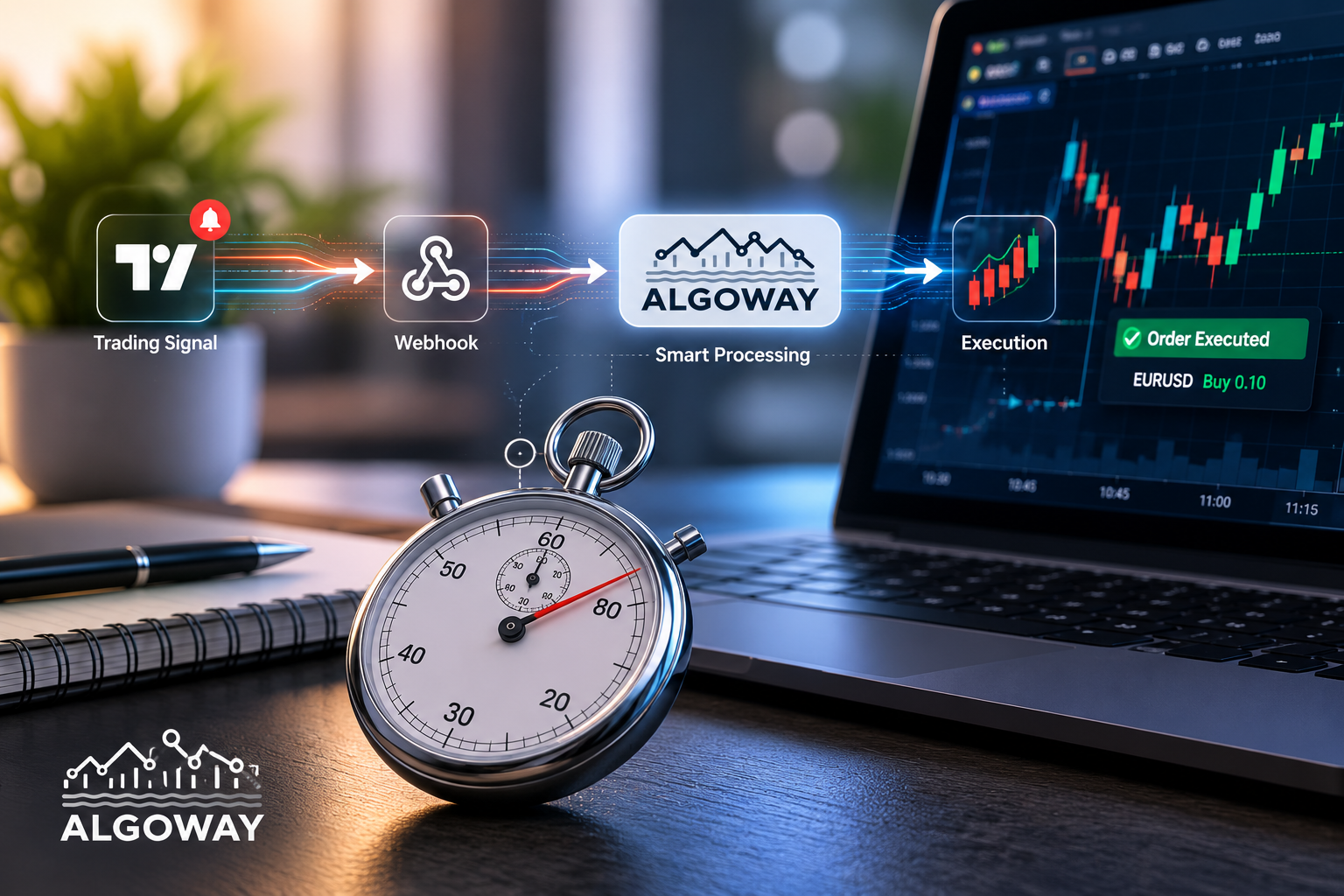
TradingView is excellent at finding opportunities. The real challenge begins after the alert appears.
Most traders discover TradingView automation in the same way. They build a strategy, configure an indicator or create a price alert, then realize that the signal still has to reach the actual trading account. TradingView can tell you when a condition is met, but it does not natively place orders on every broker, prop-firm platform or cryptocurrency exchange.
That missing connection is where AlgoWay comes in. AlgoWay receives the alert from TradingView, understands the trading instruction and sends it to the selected execution platform. In practical terms, TradingView remains the brain of the setup, while AlgoWay becomes the execution layer.
The idea is simple, but a reliable implementation involves much more than forwarding a message from one website to another. Symbols need to be recognized, order sizes need to be valid, long and short positions need to be handled correctly, and every failed request needs to leave a clear log. Good automation is not just fast. It also needs to be visible, testable and predictable.
What TradingView Automation Really Means
A TradingView alert is only the beginning of an automated workflow. A complete setup usually has five parts:
A strategy, indicator or manual condition generates a signal.
TradingView sends an alert containing the trading instruction.
A webhook service receives and validates the message.
The instruction is translated into the format required by the broker or exchange.
The destination platform accepts or rejects the order, and the result is recorded.
Many tutorials stop at the webhook stage and make the process sound almost effortless. In reality, receiving the alert is the easy part. The difficult part is turning a generic instruction such as “buy EURUSD with a stop loss” into a valid order for a specific account.
Every platform has its own rules. One broker may call the symbol EURUSD, another may use EURUSD.a, and a futures platform may require a completely different contract name. Cryptocurrency exchanges have their own quantity rules, minimum order sizes, leverage settings and position modes. Some platforms allow long and short positions at the same time, while others use a single net position.
TradingView automation with AlgoWay is designed to handle this execution layer without forcing the trader to build a separate connector for every destination.
How the Signal Moves from TradingView to the Trading Account
The process starts with a TradingView alert. The alert can come from a Pine Script strategy, an indicator condition or a manually configured chart alert. Inside the alert message, the trader defines the information that AlgoWay needs to execute the instruction.
A typical message may include the platform, symbol, direction, order size, stop loss, take profit and an optional order identifier. TradingView sends this message to a unique AlgoWay webhook URL. AlgoWay receives it, checks the required fields and routes it to the platform connected to that webhook.
From the trader's point of view, the workflow is straightforward:
TradingView signal - AlgoWay webhook - broker or exchange - trading account
The important part happens in the middle. AlgoWay must interpret the TradingView instruction and convert it into the exact API request expected by the destination platform. The request sent to MetaTrader 5 is not the same as the request sent to TradeLocker, Match-Trader, Binance or Bybit. The trader should not have to rebuild the entire strategy every time the execution platform changes.
Strategies, Indicators and Manual Alerts
TradingView automation is not limited to fully coded strategies. Different traders use different signal sources, and each one can be useful.
Strategy alerts
A Pine Script strategy is usually the most structured source. It can generate entries, exits, reversals and position sizes based on the current strategy state. The alert message can include dynamic TradingView variables, making it possible to send the exact direction and quantity produced by the strategy.
This is the natural choice for traders who want the whole process to run automatically, from signal generation to execution.
Indicator alerts
An indicator can also generate useful automation signals. A moving-average crossover, breakout condition, oscillator signal or custom buy zone may trigger an alert. The main limitation is that the available automation depends on the alert conditions exposed by the indicator.
Some indicators provide separate conditions for buying, selling and closing. Others only produce a general signal. AlgoWay executes the instruction it receives, so the alert configuration must clearly describe what should happen.
Manual alerts
Not every trader wants a fully automatic strategy. A manual TradingView alert can still send a prepared order instruction when a chosen price is reached. This is useful when the trader wants to make the decision manually but does not want to sit in front of the broker terminal waiting for the exact entry level.
TradingView to MetaTrader 5
MetaTrader 5 remains one of the most common execution platforms for Forex, CFD and prop-firm accounts. TradingView offers better charting and a large Pine Script ecosystem, while MT5 provides access to thousands of broker accounts. Connecting the two gives traders the strengths of both environments.
With AlgoWay, the trader creates an MT5 webhook, installs the AlgoWay Expert Advisor in the terminal and connects the EA to the webhook identifier. TradingView alerts are then delivered through AlgoWay to the running MT5 terminal.
This setup is particularly useful for traders who already have a strategy in TradingView but do not want to rewrite it as an MQL5 Expert Advisor. Instead of maintaining two separate versions of the same system, the strategy logic remains in Pine Script and MT5 is used for execution.
The terminal still needs to be running and connected to the broker. A VPS is commonly used because it keeps MT5 online even when the trader's personal computer is turned off.
Automation for Prop-Firm Platforms
Prop trading has made automation more complicated because firms do not all use the same technology. One account may be based on MT5, another on TradeLocker, another on Match-Trader, DXtrade or a futures platform.
For the trader, changing firms should not mean rebuilding the strategy from zero. The TradingView logic can remain unchanged while the AlgoWay destination is configured for the platform used by the new account.
This does not remove the need to respect prop-firm rules. Maximum daily loss, total drawdown, news restrictions, lot limits and prohibited strategies still matter. AlgoWay is an execution tool, not a way to bypass account conditions.
What it can do is reduce manual delays and execution mistakes. When a valid signal appears, the instruction is sent directly to the selected account instead of waiting for the trader to open another terminal and copy the order by hand.
Cryptocurrency Automation
TradingView is also widely used by cryptocurrency traders. Many exchanges support API trading, but each exchange has its own authentication, symbol format, quantity precision and position settings.
A single strategy may need to work with Binance, Bybit, OKX, Bitget or another exchange. Building and maintaining all of these integrations independently takes time, especially when an exchange changes an endpoint or introduces new validation rules.
AlgoWay provides a common execution layer for supported exchanges. The trader sends a consistent TradingView instruction, while the platform-specific request is prepared inside the corresponding connector.
This is especially useful for futures trading, where position mode matters. An account may use one-way mode or hedge mode, and the same sell signal can mean different things depending on the current position.
Hedge Mode, Reverse Mode and Flat Commands
A buy or sell instruction sounds simple until there is already an open position.
Imagine that the account currently holds a long position and TradingView sends a sell signal. There are several possible outcomes:
Open a separate short position and keep the long open.
Close the long position and open a new short position.
Close the long position without opening anything else.
Close all exposure for the symbol.
The correct result depends on the strategy and the account's position model.
In hedge mode, long and short positions can be managed independently when the destination supports them. In reverse mode, the opposite signal closes the existing position before opening the new direction. A flat command closes the relevant position without creating a replacement trade.
This is one of the most important parts of automation testing. A setup that opens the first trade correctly can still fail when the strategy reverses or exits.
Stop Loss, Take Profit and Trailing Logic
Opening a market order is only one part of the job. A practical automation route should also understand how the trade will be protected and closed.
Depending on the destination, an AlgoWay alert can include:
An exact stop-loss price.
An exact take-profit price.
A stop-loss distance.
A take-profit distance.
A trailing-stop value.
Exact prices are useful when the strategy calculates a technical level, such as a swing low, resistance level or volatility-based target. Distance values are useful when the trader wants a fixed number of pips, points or percentage units from the entry.
These values should always be tested on the actual destination platform. Brokers and exchanges may use different tick sizes, contract specifications and minimum distances. A valid stop level on one account may be rejected on another.
One Signal, Multiple Accounts
Many traders eventually want the same TradingView strategy to operate on more than one account. They may have several personal accounts, multiple prop-firm challenges or separate accounts with different risk levels.
Without account cloning, the trader may need to create duplicate TradingView alerts and maintain several nearly identical configurations. That becomes difficult to manage and increases the chance of one account receiving an outdated message.
AlgoWay can distribute one incoming signal across configured account routes. Each destination keeps its own connection details and may use its own volume multiplier or execution settings.
This does not mean that every account will behave identically. Broker symbols, contract sizes and minimum quantities can differ. A proper test should confirm that the selected risk and order size make sense on every connected account.
Why Logs Matter More Than Marketing Promises
Every automation service works well when the order is accepted. The real test is what happens when something goes wrong.
A trader needs to know whether TradingView sent the alert, whether the webhook received it, what message was processed and what response came back from the broker or exchange. Without this information, every problem turns into guesswork.
AlgoWay keeps execution logs for webhook activity. A failed order may show an invalid symbol, insufficient margin, incorrect volume, expired credentials, a closed market or a platform-side error. The log does not magically solve the problem, but it identifies the stage where the process stopped.
This distinction matters. A TradingView alert that never fired is not the same as a broker rejecting the order. A malformed message is not the same as an exchange timeout. Clear logs make support and debugging much faster.
Why Not Build a Private Webhook Server?
A trader with development experience can certainly build a private TradingView connector. The first version may even look simple: create an endpoint, receive JSON and call a broker API.
The long-term work is more demanding. A reliable system needs HTTPS, authentication, credential storage, symbol validation, error handling, logging, monitoring and platform updates. It also needs careful protection against duplicate execution and unclear responses.
For a company with a dedicated development team, a private infrastructure may be the right choice. For an individual trader, it can become a second job.
AlgoWay is intended for traders who want the connection without maintaining every technical layer themselves. The focus remains on the strategy and account configuration rather than server administration.
How to Test a TradingView Automation Setup
No new automation should begin with a large live order. The safest approach is to test each part of the workflow separately.
Create the webhook and connect the destination account.
Use a demo, paper or low-risk account.
Send a controlled buy alert.
Check the AlgoWay log.
Confirm the symbol, direction and quantity on the account.
Test the stop loss and take profit.
Send an opposite signal and confirm the expected position behavior.
Send a flat or close command.
Compare the final account position with the TradingView strategy state.
Testing should also include an invalid symbol or quantity. It is better to understand the error handling before a real market event than during one.
Who Is AlgoWay For?
AlgoWay is useful for traders who already have a signal source and need a reliable way to reach the execution account.
A Forex trader can send a TradingView strategy to MT5. A prop trader can connect the same general workflow to TradeLocker or Match-Trader. A cryptocurrency trader can route alerts to a supported exchange. A developer can provide clients with an execution option without building a separate connector for every broker.
The common point is that AlgoWay does not create the trading decision. It carries the decision from the signal source to the destination and records what happened.
Final Thoughts
TradingView automation is often described as a shortcut, but the real value is consistency. The signal is created once, sent in a structured format and executed through a defined route. The trader can then review the result instead of manually repeating the same action across several terminals.
AlgoWay connects TradingView alerts with broker platforms, prop-firm environments and cryptocurrency exchanges through one execution layer. It supports the practical parts that simple webhook tutorials often ignore: position modes, exits, protective orders, account routing and logs.
Automation will not improve a weak strategy and it cannot guarantee profit. What it can do is remove unnecessary manual steps between a valid TradingView signal and the account where that signal is supposed to be executed.
For traders who want to test the full workflow, AlgoWay offers a trial period and low-cost webhook plans. The sensible approach is to start with a demo account, test every order type and only then move the setup into live trading.
Explore TradingView automation with AlgoWay


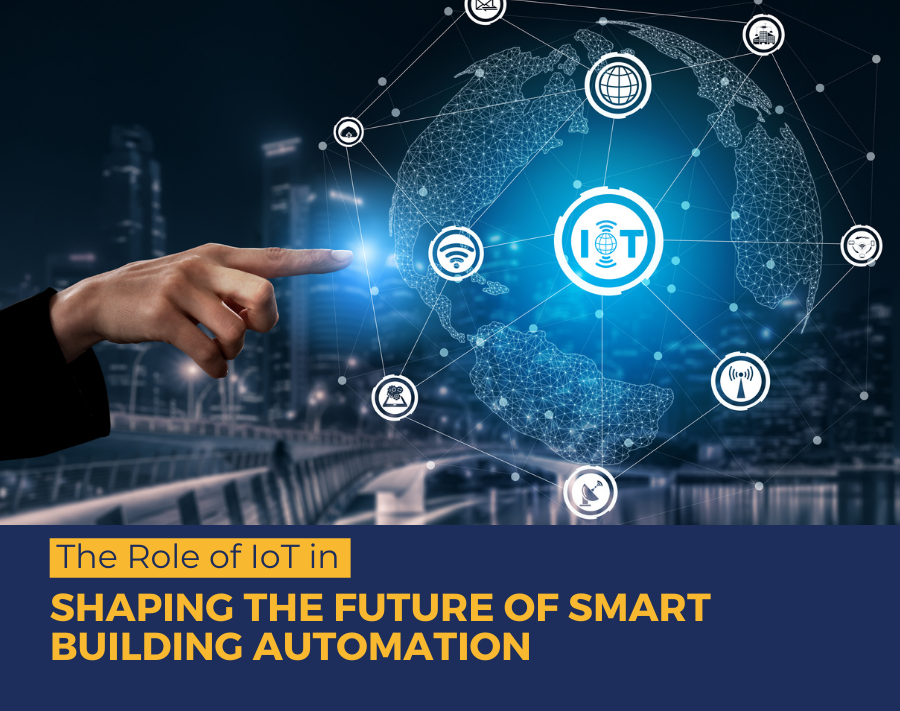
The technology is adding new value by bringing distinct systems together and improving the overall quality of the building in a cost-efficient manner.
However, many building owners still resist bringing this change as they find this upgrade an unessential waste of their money.
To their unawareness, they don’t comprehend that by creating a smart building IoT technology they can save enormous money and break free from the regular stress of building maintenance.
This blog will help you understand how the implementation of digital transformation solutions through IoT can be a game-changer for the overall enhancement of your building.
With the surge of different IoT technologies, optimizing the operations of buildings has become significantly affordable.
Easy BMS UpgradesBattery-operated IoT sensors are the most suitable option for a pre-constructed building.