


CRM dashboards are designed to help teams understand performance, spot trends, and make fast decisions. When done correctly, data visualization turns raw numbers into clear insights. But when dashboards are cluttered, misconfigured, or poorly visualized, they can confuse users instead of guiding them. Several common mistakes reduce the quality of CRM dashboard insights and prevent businesses from fully leveraging their data.
Here are the data visualization mistakes that often hurt CRM dashboard effectiveness and how to avoid them.
1. Overloading Dashboards With Too Many Metrics
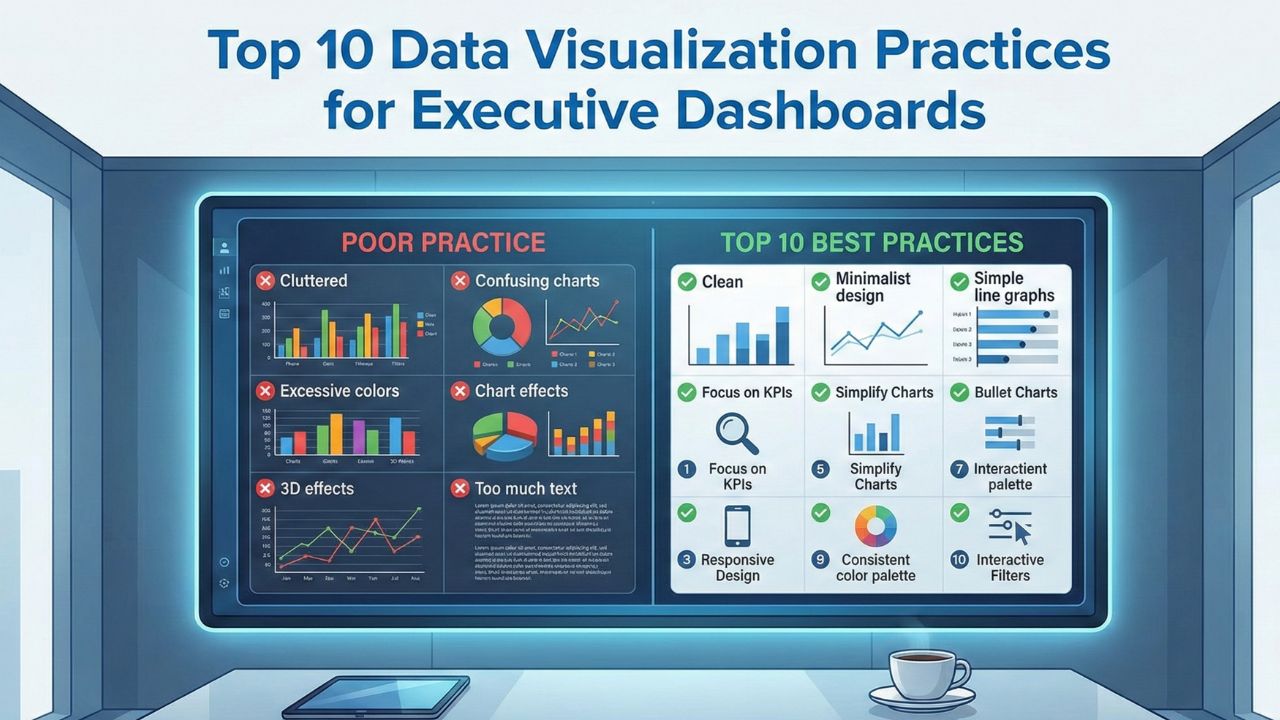
One of the biggest mistakes is trying to fit everything into a single view. While it may seem helpful to show every KPI, too much information overwhelms users and hides what truly matters. A cluttered dashboard forces managers to sift through noise before finding important insights.
Dashboards should highlight key indicators such as pipeline health, deal progress, engagement levels, and revenue forecasts not every minor data point. When dashboards focus on the few metrics that drive decisions, teams respond faster and interpret insights more accurately.
2. Using the Wrong Chart Types
The wrong visualization can distort data or mislead the viewer. For instance, pie charts are often used in situations where bar charts or line graphs would show comparisons more clearly. Similarly, complex 3D charts may look impressive but often make it harder to read exact values.
Common missteps include:
- Using pie charts for too many categories
- Using line charts for data that isn’t sequential
- Using bar charts when trends over time matter more
- Adding decorative elements that distract from the data
Choosing the right chart type ensures information is processed quickly and accurately.
3. Ignoring Data Hierarchy and Visual Flow
Dashboards are most effective when they follow a logical structure. If high-priority metrics are buried below less important charts, users may miss them or misjudge their importance. A poorly organized dashboard leads to inconsistent interpretation and slower decision-making.
A strong dashboard design typically follows this hierarchy:
- High-level KPIs at the top
- Supporting charts in the middle
- Detailed breakdowns or filters near the bottom
When visual flow is intuitive, users absorb insights naturally without needing extra explanation.
Read Also: Top 5 Benefits of Sales Analytics Consulting for Growing Companies
4. Failing to Update Filters and Segmentation Options
A dashboard that only shows static data quickly loses its usefulness. CRM users need to segment data by region, rep, customer type, time period, and more. Without proper filters, the dashboard becomes rigid and forces users to rely on manual exports or separate reports.
Lack of segmentation leads to:
- Misinterpreted pipeline trends
- Incorrect sales forecasts
- Difficulty identifying performance differences
- Limited visibility into customer behavior
Dynamic filters give decision-makers the flexibility to explore data and uncover deeper insights.
5. Using Inconsistent or Poorly Chosen Colors
Color plays a major role in how users interpret dashboards. Unfortunately, inconsistent or overly bright color palettes can confuse viewers or make it hard to distinguish between metrics. If colors do not follow a pattern such as green for positive metrics and red for negative ones users may misread performance results.
Common color mistakes include:
- Too many colors in a single chart
- Using similar shades for unrelated data
- Color choices that are not accessible for color-blind users
- Random colors with no meaning or hierarchy
A clean, intentional color palette strengthens readability and helps key insights stand out.
6. Ignoring Data Accuracy or Refresh Delays
Even the best-designed dashboard fails if the underlying data is outdated or inaccurate. Many CRM dashboards suffer from slow refresh cycles, missing data fields, inconsistent user input, or incomplete integrations. When numbers are incorrect, leaders lose trust in the dashboard and rely on manual work instead.
Regular audits, automated data checks, and consistent data hygiene maintain dashboard reliability.
Read Also: Why Do Real-Time KPI Dashboards Boost Executive Decision-Making
Conclusion
Effective CRM dashboards rely on clear, accurate, and thoughtfully designed visualizations. Mistakes like information overload, poor chart selection, weak visual hierarchy, inconsistent colors, and inaccurate data can significantly undermine insights. By avoiding these pitfalls and focusing on clarity and consistency, businesses can build dashboards that truly support better decision-making and help teams act with confidence.