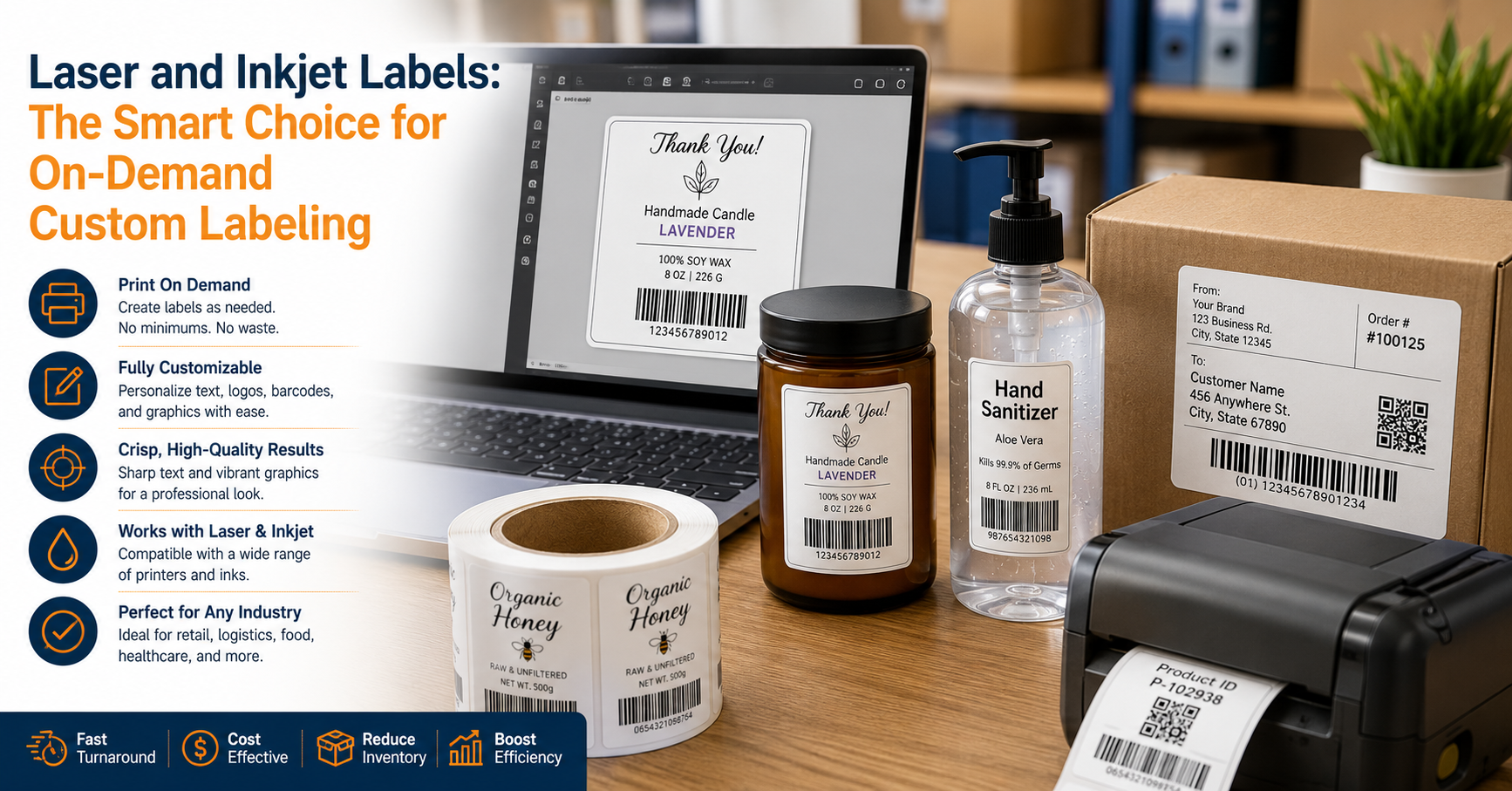
For B2B businesses, labels are not just “packaging.” They are operational controls that carry compliance data, routing cues, product identifiers, and customer-specific requirements. Choosing between Laser and Inkjet Labels versus pre-printed labels is ultimately a decision about how your organization handles change: changing SKUs, changing regulations, changing promotions, and changing demand.
In on-demand workflows, labeling sits at the intersection of production, warehousing, quality assurance, and customer service. A labeling method that looks inexpensive on paper can become costly if it causes rework, obsolete inventory, or shipment delays. Conversely, a method that seems “premium” can pay for itself if it reduces waste and lets you react quickly.
This guide compares Laser and Inkjet Labels with pre-printed options across cost-per-label, waste, turnaround time, version control, and real-world use cases such as seasonal promotions, short runs, and variable data.
The Real Meaning of “On-Demand” in Label Workflows
“On-demand” does not necessarily mean printing everything at the last minute. It means your labeling process can respond quickly and safely to operational changes without waiting on outside lead times or over-ordering inventory.
In practice, on-demand labeling typically includes at least one of these requirements:
- Variable data (lot codes, serial numbers, dates, customer part numbers, weights, ingredients, barcodes, QR codes).
- Frequent revisions (artwork updates, regulatory changes, pricing updates, language changes, brand refreshes).
- Short runs (pilot batches, limited releases, contract manufacturing with many clients, test markets).
- Fast turnaround (same-day production, rapid replenishment, seasonal spikes).
If your workflow includes any of the above, the “best” label method is the one that minimizes total operational friction—not just the sticker price.
Laser and Inkjet Labels Explained: Capabilities, Limits, and Typical Setups
Laser labels are typically printed on sheeted label stock using laser printers. They are common in offices and light production environments because the hardware is widely available and the workflow is familiar (design → print → apply).
Where laser labels fit well is in internal labeling, carton labels, shipping identifiers, and short-run product labeling when durability requirements are moderate. Laser output is usually crisp, which helps with readable text and clean barcode edges when the right materials are used.
Common limitations include heat sensitivity of some face stocks and adhesives, fewer durable material options compared with specialized industrial printing, and potential performance issues in wet or high-abrasion environments depending on stock selection.
Inkjet label printing: strengths and tradeoffs
Inkjet labels range from office inkjet printing to production-grade color inkjet label printers designed for product packaging. Inkjet shines when you need strong color output, photo-quality graphics, and frequent design changes.
Where inkjet labels fit well is in branded product labels, seasonal promotions, and multi-SKU product lines where full-color variation is common. Many businesses use inkjet to keep marketing teams moving without committing to large pre-printed inventories.
Common limitations include ink durability concerns (water, solvents, abrasion) if you use the wrong ink/stock combination, potential color management variability, and consumable costs that can rise quickly with heavy coverage designs.
Pre-Printed Labels Explained: When Fixed Artwork Is an Advantage
Pre-printed labels are produced in advance, typically by a label converter using flexographic, digital press, or offset methods. They arrive as rolls or sheets with fixed artwork. If you need variable data, you usually add it later with a secondary print step (for example, printing lot/date codes on top, or applying a second variable label).
Where pre-printed labels excel is in long runs of stable artwork. If your design does not change often and your quantities are high, pre-printed labels can deliver very low unit costs and consistent color output.
The main tradeoff is flexibility. The moment you add frequent revisions, multiple versions, or unpredictable demand, you risk holding inventory that becomes obsolete—sometimes overnight due to a regulatory or customer requirement change.
Cost-per-Label: Comparing Real Unit Cost, Not Just Quoted Price
Cost-per-label should be measured as total landed label cost, not only ink/toner and paper. For on-demand workflows, the hidden costs often dominate: labor time, waste, downtime, expediting, and scrapped inventory.
A practical way to compare is to estimate:
- Direct materials: label stock + ink/toner (or pre-printed unit price).
- Direct labor: design time, setup time, print time, application time, inspection time.
- Waste and obsolescence: misprints, changeover waste, expired labels, regulatory changes, seasonal leftovers.
- Risk cost: cost of a labeling error (returns, chargebacks, compliance issues, rework).
Cost FactorLaser/Inkjet On-DemandPre-Printed LabelsBest-case unit priceUsually higher than pre-printed at scaleUsually lowest for high volumesSetup costLow (template-based)Can be significant (plates, press setup, proofs)Revision costLow (edit and reprint)High (new print run, possible write-off)Inventory carrying costLow (print what you need)Higher (stocking multiple SKUs/versions) A helpful rule of thumb is this: pre-printed labels win on unit price when artwork is stable and volume is predictable. on-demand wins when variability or uncertainty is high, even if the per-label consumable cost is higher.
Waste and Obsolescence: The Cost Nobody Sees Until It Hurts
Waste in labeling is not limited to misprints. The biggest waste category for many B2B organizations is obsolescence: labels that are perfectly printed but no longer usable because something changed.
Pre-printed labels tend to create two common waste patterns. First, businesses over-order to reduce unit cost, then demand shifts and the remaining rolls become dead inventory. Second, the organization adds variants (new customer requirements, new markets, minor design changes), and suddenly each SKU needs its own label stockpile.
Laser and inkjet on-demand printing reduces obsolescence because you only print what you need for the next run, shift, or order. That does not eliminate waste entirely, but it changes its nature: waste is more likely to be small misprints or setup errors rather than pallets of unusable labels.
How to estimate obsolescence risk
If you want a quick internal estimate, evaluate these factors for each label type:
- How often does the content change (monthly, quarterly, annually)?
- How many label versions do you maintain at once (per SKU, per customer, per region)?
- How frequently do you run short batches or rework lots?
- What is the financial impact of scrapping a roll (not just the label price, but the operational disruption)?
Turnaround Time: From Request to Applied Label
Turnaround time is where on-demand workflows usually win. With laser or inkjet, a label can move from approved template to application in minutes. That speed supports real operational needs: same-day changeovers, customer-specific labeling, and last-minute corrections.
Pre-printed labels introduce external lead time. Even with a responsive print partner, you may be working with days or weeks for proofs, production, and shipping. That may be fine for stable SKUs, but it becomes a bottleneck when you need to respond to market changes or customer requests quickly.
One overlooked factor is internal turnaround time. Even if a vendor can deliver quickly, your team still has to manage approvals, purchase orders, receiving, and storage. On-demand printing often simplifies that administrative burden.
Version Control and Compliance: Preventing the “Wrong Label” Scenario
Label errors are expensive because they create downstream confusion. A wrong barcode, outdated ingredient list, or incorrect customer identifier can trigger chargebacks, returns, or regulatory exposure.
Pre-printed labels can be safe when versioning is tightly controlled and inventory is carefully segregated. The risk rises when multiple versions of similar-looking labels coexist in the same facility, especially during transitions (old design to new design) or when multiple customers use similar packaging formats.
On-demand printing supports version control by linking label generation to a system of record such as an ERP, WMS, or PLM. When the label is generated from approved data at print time, you reduce the chance that a team member grabs an outdated roll from a shelf.
Practical controls that reduce version mistakes
- Single source of truth: store label templates and rules in a controlled system rather than local files.
- Approval workflow: require sign-off for template changes, especially for regulated industries.
- Print logs: keep a record of who printed what, when, and for which lot or work order.
- Visual verification: use a barcode verifier or scan checks at pack-out.
barcode label printing: Building Scannable, Standardized Labels Without Bottlenecks
For many B2B businesses, barcode label printing is not optional. It is a customer requirement and a warehouse necessity. The decision between on-demand and pre-printed approaches should start with a simple question: is your barcode content fixed or variable?
If barcode data is variable (serial numbers, order IDs, case pack identifiers, lot-based traceability), on-demand printing is often the most straightforward approach. You generate the barcode from live data, print it immediately, and apply it to the correct item at the correct time.
If barcode data is fixed (a single UPC or internal SKU code used for years), pre-printed labels can be cost-effective and consistent. However, even “fixed” barcode labeling can become variable when customers require different symbologies, different label formats, or specific compliance standards.
When evaluating barcode performance, focus on process reliability rather than appearance alone. A barcode that looks fine to the eye may fail in the field due to contrast, quiet zones, print gain, or material reflectivity.
For general barcode standards and guidance, GS1 is a widely recognized authority: https://www.gs1.org/standards/barcodes.
What to watch in barcode label printing with laser and inkjet
- Print consistency: toner or ink behavior can change with humidity, speed, and coverage.
- Material pairing: glossy stocks can cause scan issues if contrast is poor or glare is high.
- Edge sharpness: small barcodes and high-density codes require stable output and correct resolution.
What to watch in barcode label printing with pre-printed labels
- Data changes: fixed codes are fine until a customer or regulation forces a revision.
- Mixed versions: similar-looking rolls can be misapplied if storage and labeling controls are weak.
- Secondary printing: if you add variable data later, ensure the overprint remains scannable and durable.
custom product labels: Managing Branding, Variants, and Seasonal Promotions
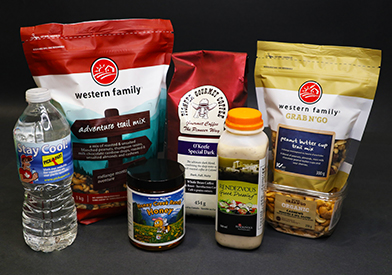
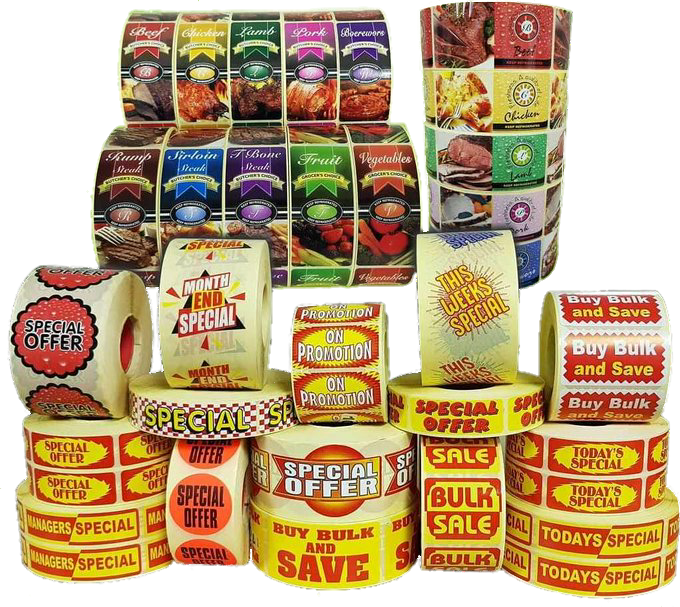
Custom product labels are where the flexibility of inkjet and laser workflows becomes especially valuable. Seasonal promotions, limited editions, co-branded runs, and private label programs can multiply label versions quickly. Pre-printed labels can still work, but you need strong forecasting and disciplined inventory management to avoid leftovers.
Inkjet is often the most comfortable fit when brand teams want frequent creative changes and full-color output. You can keep a stable label size and substrate while changing graphics as needed. That makes seasonal promotions more practical because you can print the promotional design only for the window where it is active.
Laser can also support custom product labels when graphics requirements are simpler, volumes are low, or you want to leverage an existing office-style setup. For many B2B organizations, laser becomes a bridge solution: better than outsourcing every small change, but not meant for every packaging environment.
Seasonal promotions: where pre-printed labels can become expensive
Seasonal labeling fails when teams treat a time-limited design like a permanent SKU. If you pre-print too much, you either scrap labels or attempt to “use them up,” which can create brand inconsistency or customer confusion.
On-demand printing supports tighter alignment between sales reality and label output. Instead of betting on a forecast, you print based on actual orders, weekly production plans, or confirmed replenishment signals.
Short runs and SKU proliferation: a practical comparison
- On-demand (laser/inkjet) tends to win when you have many SKUs with low-to-medium volume each, because you avoid holding separate label inventory for every variant.
- Pre-printed tends to win when you have a small number of high-volume SKUs with stable artwork, because unit costs drop significantly at scale.
industrial label printing: Durability, Adhesives, and Harsh-Environment Realities
Industrial label printing is less about looks and more about survival. Labels may face abrasion, oils, chemicals, UV exposure, freezing temperatures, outdoor weather, or washdowns. In these conditions, the choice of material, adhesive, and print technology matters as much as the choice between on-demand and pre-printed.
Pre-printed labels can be excellent for industrial environments because converters can match durable materials and inks to your application. If your label content is stable and the performance requirements are high, pre-printed durable labels can be a strong option.
On-demand laser and inkjet can still play a role in industrial label printing, particularly for variable data, compliance identifiers, and work-in-process labels. The key is to qualify the full system: face stock, adhesive, ink/toner compatibility, and topcoats or laminates if needed.
Common industrial durability questions to answer before choosing a method
- Does the label need to remain legible for weeks, years, or the product lifetime?
- Will it be exposed to water, solvents, oil, or cleaning chemicals?
- What surface is it applied to (powder-coated metal, corrugate, plastic tote, shrink wrap)?
- What temperatures does it face during storage and transport?
In industrial environments, a hybrid approach is common: pre-printed branded or compliance base labels paired with on-demand printing for variable data, lot codes, or customer-specific identifiers.
Common Use Cases: Which Method Fits Best?
Most B2B businesses do not need a single answer for all labels. They need a method that fits each label category. Below are common scenarios and what typically works best, assuming materials and durability are properly matched.
Seasonal promotions and limited-time offers
- Best fit: Inkjet on-demand for full-color changes and short windows.
- When pre-printed works: Only if volumes are large and the promotion is guaranteed, with minimal risk of leftover inventory.
Short runs, pilot batches, and test markets
- Best fit: Laser or inkjet on-demand due to low setup and rapid revisions.
- Risk with pre-printed: The setup effort and minimum order quantities can outweigh any unit-cost benefit.
Variable data (lots, serials, weights, customer-specific identifiers)
- Best fit: On-demand printing, because data can be pulled from ERP/WMS and printed at the point of use.
- Pre-printed workaround: Use pre-printed shells plus a second print step, but ensure alignment and scan quality.
High-volume, stable SKUs with long-lived artwork
- Best fit: Pre-printed labels for the lowest unit cost and consistent appearance.
- On-demand alternative: Works if you value flexibility more than minimum unit cost or if you want to reduce inventory complexity.
Customer compliance labeling (routing labels, carton IDs, retailer requirements)
- Best fit: On-demand printing to reduce version errors and speed up changes.
- Pre-printed risk: Requirements can change with little notice, making stock obsolete.
How to Choose: A Decision Checklist for B2B Teams
If you want a clear, repeatable way to choose, use a scorecard approach. Assign each label category a rating (low/medium/high) for variability, volume, durability, and change frequency, then align the method accordingly.
- How frequently does the label content change? If quarterly or faster, favor on-demand.
- How variable is the data? If lot/serial/customer data is required, favor on-demand or a hybrid.
- What is the volume per version? If very high and stable, pre-printed often wins.
- What is the consequence of a labeling error? If high (chargebacks, regulatory), favor systems with stronger version control and data integration.
- What durability is required? If harsh environments are involved, qualify materials first, then choose the printing approach that meets performance needs.
- What is your lead time tolerance? If you cannot wait for external print cycles, on-demand is usually essential.
- How complex is your SKU and customer matrix? More variants generally favor on-demand to reduce inventory sprawl.
Implementation Tips: Making On-Demand Labeling Actually Work
On-demand printing is only as good as the process around it. Many organizations buy a printer and still struggle because templates, approvals, and data rules are not standardized.
1) Treat label templates like controlled documents
Store templates in a controlled system, restrict editing rights, and define an approval process. This helps maintain consistency and reduces the chance of “shadow templates” living on personal drives.
2) Standardize label sizes to reduce material complexity
Whenever possible, rationalize label sizes so multiple SKUs can share the same stock. This makes purchasing simpler, reduces storage requirements, and minimizes the chance of loading the wrong material.
3) Build print-from-data workflows, not print-from-memory workflows
Where feasible, connect label generation to ERP or WMS data so operators select a work order or item and print the correct label automatically. Manual typing is a common source of errors, especially for barcodes and regulated content.
4) Add verification where it matters most
For mission-critical labels, add scanning or verification at the point of application or pack-out. The goal is not to slow production but to catch the high-cost mistakes before they leave the building.
5) Qualify materials with real-world tests
Do not rely only on vendor descriptions. Test labels under your actual conditions: temperature swings, moisture exposure, abrasion, and contact with oils or cleaners. A small qualification run can prevent large-scale failures.
When a Hybrid Strategy Is the Most Practical Answer
Many B2B teams land on a hybrid model because it balances cost and flexibility. A common and effective pattern is:
- Pre-printed for high-volume, stable, brand-critical labels where unit cost and color consistency matter most.
- Laser or inkjet on-demand for variable data, customer compliance, short runs, seasonal promos, and frequent version updates.
This approach lets you capture the economic advantage of pre-printed labels where it is real, while still protecting your operation from the waste and delays that can come with constant change.
Key Takeaways for B2B Buyers
Laser and inkjet on-demand printing typically fits best when your workflow requires speed, frequent changes, or variable data. Pre-printed labels typically fit best when volume is high and artwork is stable. The “right” answer depends on the total system cost: labor, waste, lead times, and risk—not only the quoted price per label.
If your business is scaling SKUs, running seasonal promotions, or serving multiple customers with different requirements, on-demand printing often becomes a competitive advantage because it compresses turnaround time and reduces obsolescence. If your business runs a smaller set of stable, high-volume products, pre-printed labels can be a strong foundation as long as you have disciplined version control and inventory management.
The most reliable approach is to classify your labels by use case—barcode label printing, custom product labels, and industrial label printing needs—then match each category to the method that minimizes total cost and operational risk.