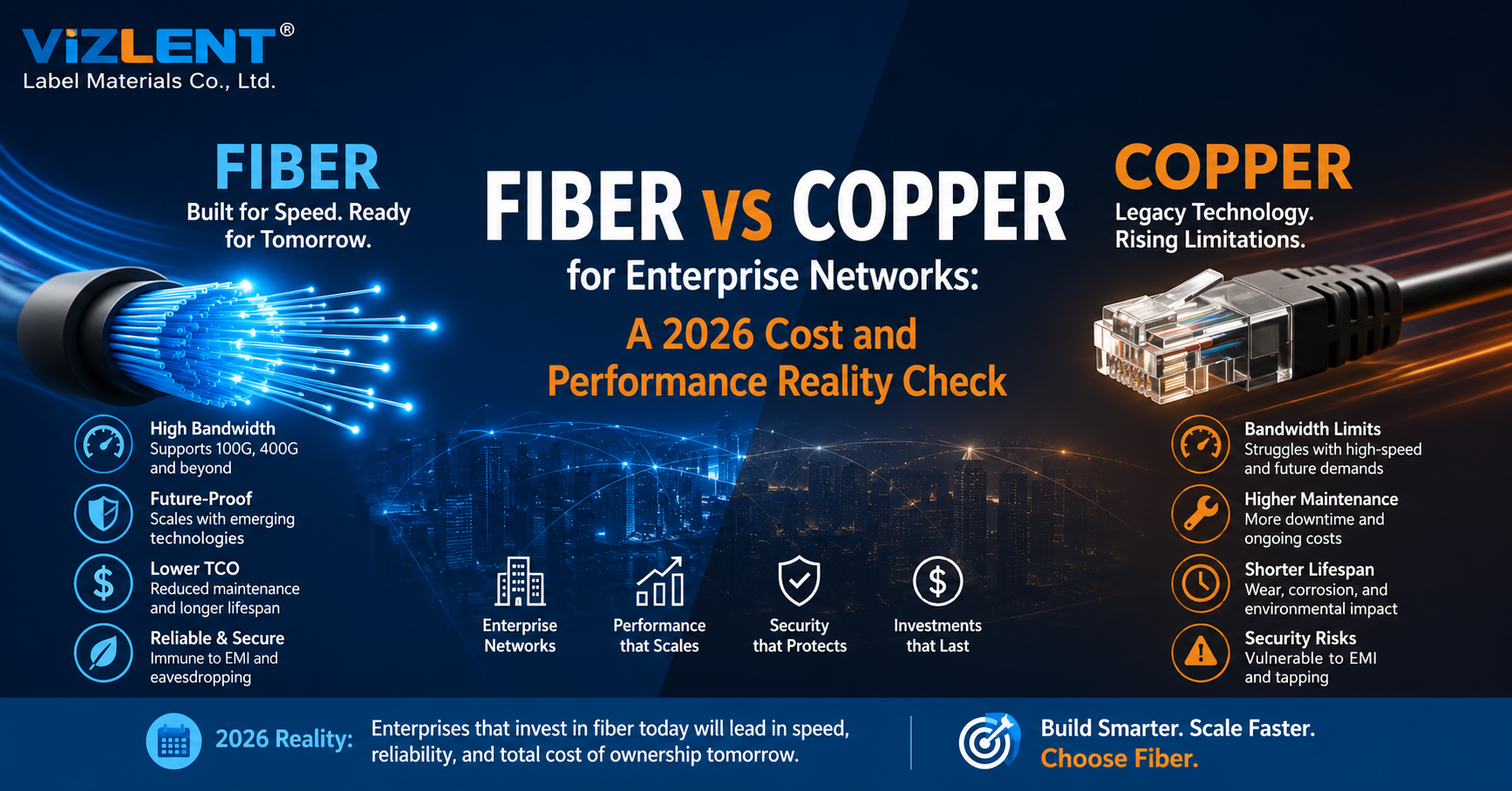
Fiber vs Copper for Enterprise Networks is a distance-and-power decision before it is a budget decision: for mainstream enterprise structured cabling, Category 6A supports 10GBASE-T across a 100 meter channel and can carry DC power to the device, while optical fiber supports far higher line rates over distances that balanced twisted pair cannot reach. Those boundaries settle most designs before anyone opens a spreadsheet. What has changed by 2026 is the standards baseline, the power budget at the edge, and the discipline required to terminate and verify optical links correctly.
The honest answer to Fiber vs Copper for Enterprise Networks, for most buildings, is not one medium or the other. It is a layered plant in which fiber carries the backbone and the horizontal run stays copper wherever powered devices sit at the edge. Getting that split right is where the money is won or lost.
What the 2026 Standards Baseline Actually Says
Standards, not vendor claims, define what each medium can legitimately do. The copper side is governed by ANSI/TIA-568.2-E, released by TIA in late 2024 to revise ANSI/TIA-568.2-D, while the optical side follows ANSI/TIA-568.3-E, published in September 2022. Specifying against the superseded 568.2-D revision is one of the more common errors in current tender documents.
The 568.2-E revision matters for anyone powering devices over copper. It consolidated the earlier balun and power delivery amendments, bringing power delivery over balanced twisted pair into the standard as Annex H, and introduced DC resistance unbalance specifications for Category 5e, 6, and 6A. That annex is now the reference point for cable bundling, temperature rating, and installation guidance on high-power PoE circuits.
Standards to hold any 2026 design against:
- ANSI/TIA-568.2-E: balanced twisted pair cabling and components, including Annex H on power delivery
- ANSI/TIA-568.3-E: optical fiber cabling, components, transitions, and polarity
- ISO/IEC 14763-3: testing of installed optical fiber cabling
- IEC 61300-3-35: connector end face inspection acceptance criteria
- IEEE 802.3bt: four-pair Power over Ethernet, ratified 2018
Copper's Practical Ceiling in the Horizontal
Copper for enterprise networks infrastructure is not obsolete, and treating it that way misreads how buildings are actually cabled. A compliant Category 6A channel supports 10GBASE-T to the full 100 meter limit, and IEEE 802.3bz added 2.5GBASE-T and 5GBASE-T so that installed Category 5e and Category 6 plant could carry more than a gigabit without a wholesale replacement. Category 8 supports higher rates still, but only over much shorter distances, which confines it largely to data center switch-to-server runs rather than horizontal cabling.
In any Fiber vs Copper for Enterprise Networks review, the constraint arrives at the pathway rather than the datasheet. Beyond the 100 meter channel limit the link is out of specification regardless of cable grade, 40GBASE-T is limited to 30 meters and never reached meaningful enterprise volume, and alien crosstalk becomes an important design consideration in high-density Category 6A installations where bundle size, cable construction, and installation conditions increase coupling. Those factors, more than price, are what move backbone traffic onto glass.
Where copper still wins outright:
- Horizontal runs under 90 meters to powered edge devices
- Any drop that must carry both data and DC power on one sheath
- Retrofits where pathway congestion rules out new pulls
- Sites where the in-house team can terminate and certify without outside help
Fiber's Headroom and Where the Roadmap Currently Stands
Optical fiber has moved from a backbone specialty to a mainstream enterprise procurement line, and fiber for enterprise networks equipment budgets have grown accordingly. IEEE approved 802.3df on 16 February 2024, defining 800 Gb/s Ethernet built on 100 Gb/s lanes. Its successor project, IEEE P802.3dj, is developing 200 Gb/s per lane signaling for 1.6 Tb/s Ethernet and remains a draft amendment in standards development, having progressed through working group recirculation ballots into Standards Association ballot during 2026.
The practical consequence for buyers is asymmetric upgrade risk rather than a guarantee. A properly designed OS2 singlemode plant can often support multiple generations of higher-speed optics without replacing the installed cable, because the upgrade happens in the transceiver, but that outcome is always subject to the optical link budget and the specific application. Fiber type, installed length, attenuation, connector and splice loss, polarity, wavelength, and transceiver technology all determine whether a given link actually supports a given PMD. This is the central asymmetry in any Fiber vs Copper for Enterprise Networks assessment, and it is worth stating precisely rather than as a marketing claim.
Category 6A Copper
- Structured channel limit: 100 m
- 10 Gb/s reach: 100 m with 10GBASE-T
- 100 Gb/s reach: Not supported
- Carries DC power: Yes, up to 90 W at the PSE with IEEE 802.3bt Type 4
- EMI susceptibility: Present
- Upgrade path: Limited beyond 10 Gb/s
OM4 Multimode Fiber
- Structured channel limit: Application dependent
- 10 Gb/s reach: 400 m with 10GBASE-SR
- 100 Gb/s reach: 100 m with 100GBASE-SR4
- Carries DC power: No
- EMI susceptibility: None
- Upgrade path: Primarily limited by optics, link budget, and application
OS2 Singlemode Fiber
Structured channel limit: Application dependent
10 Gb/s reach: 10 km with 10GBASE-LR
100 Gb/s reach: 10 km with 100GBASE-LR4
Carries DC power: No
EMI susceptibility: None
Upgrade path: Primarily limited by optics, link budget, and application
The Real Cost Picture in 2026
Cost comparisons fail when they stop at the cable reel. Fiber strand cost has fallen far enough that raw cable price is rarely the deciding factor, while connectivity, termination labor, transceivers, and commissioning have become the dominant variables. A design that is cheaper per meter can easily be more expensive per port.
Published 2026 contractor pricing in the United States clusters into consistent bands, though every market and building differs. Commercial Category 6 drops are widely quoted in the $150 to $300 range fully installed, terminated, and tested, with Category 6A typically adding a premium of roughly 10 to 50 percent depending on region and conductor specification, and standard interior fiber drops quoted from around $300 to $800, rising well beyond that for complex or exterior routes. Labor and building access, not cable category, drive most of the variance, which is why per-drop cost falls sharply as project size rises.
Where the money actually goes:
- Cable and pathway: usually the smallest line, and the one buyers over-weight
- Termination and connectivity: splicing, connectors, cassettes, and enclosures
- Active equipment: switch ports, optics, and media conversion
- Test, commissioning, and rework: the line most often omitted from the original quote
- Ongoing power and cooling: where the 10GBASE-T PHY penalty compounds over the asset life
A Worked Example: One 100-Port Office Floor
Abstract Fiber vs Copper for Enterprise Networks comparisons do not survive a budget meeting, so it helps to price the same floor three ways. Take a single tenancy requiring 100 terminated ports, a telecom room on the floor, and a riser back to the main equipment room. The three credible architectures are all-copper horizontal with a copper riser, all-copper horizontal with a fiber riser, and fiber to the desk with local powering at the edge.
The pattern that emerges is consistent across markets even when the absolute numbers move. Option B, the hybrid, is rarely the cheapest on day one but is almost always the lowest total cost across two equipment refreshes, because the riser never needs re-pulling and the edge keeps its PoE. Option C removes copper entirely and then reintroduces its cost as a powering problem, which is why fiber to the desk tends to make sense only where edge devices are already separately powered.
Cost Element A: All Copper
- 100 horizontal drops: Category 6A, mid-band pricing
- Riser / backbone: Copper, capped at 10 Gb/s
- Edge powering: PoE from switch
- Telecom room count: Standard
- Optics and media conversion: None
- Backbone upgrade at year 7: Re-pull required
Cost Element B: Hybrid
- 100 horizontal drops: Category 6A, mid-band pricing
- Riser / backbone: OS2 singlemode, optics-upgradable
- Edge powering: PoE from switch
- Telecom room count: Standard
- Optics and media conversion: Riser optics only
- Backbone upgrade at year 7: Change optics only
- Cost Element C: Fiber to the Desk
- 100 horizontal drops: Fiber drops, 2× to 3× copper per drop
- Riser / backbone: OS2 singlemode
- Edge powering: Local power or injectors at every device
- Telecom room count: Potentially reduced
- Optics and media conversion: Every port
- Backbone upgrade at year 7: Change optics only
Three cost drivers decide which column wins on a given project:
- Edge device population: the more PoE devices, the stronger the case for copper horizontal
- Riser length and count: the longer the vertical, the sooner fiber pays back
- Refresh horizon: below five years copper often wins, beyond ten years fiber usually does
Power, Cooling, and the PoE Trade-Off
Copper for enterprise networks connections carry an advantage that fiber structurally cannot match, which is electricity. IEEE 802.3bt, ratified in 2018, defines Type 3 delivering up to 60 W at the power sourcing equipment and Type 4 delivering up to 90 W at the PSE, with 71.3 W available at the powered device after cable loss. That supports tri-band access points, pan-tilt-zoom cameras with heaters, thin clients, and connected lighting on a single sheath.
The trade-off is thermal, and this is precisely what ANSI/TIA-568.2-E Annex H exists to address. For high-power PoE deployments, select Category 6A cabling with conductor size, cable construction, and bundle characteristics appropriate to the expected current, ambient temperature, and installation method rather than defaulting to the thinnest cable that passes a transmission test. Larger conductor sizes are one available mitigation among several, alongside bundle size limits and pathway selection.
Practical guidance for powered edge design:
Design bundles and pathways against the cable manufacturer's derating data, not a rule of thumb
Treat ambient temperature in ceiling voids and risers as a design input
Confirm switch power budget against real device draw, not marketing class
Confirm local electrical code obligations before pulling cable
Latency, EMI, and Signal Integrity
Latency differences between the two media are frequently overstated and occasionally decisive. Light in silica propagates more slowly than an electrical signal in copper, so raw propagation is not fiber's advantage. The advantage is that 10GBASE-T requires substantial digital signal processing and forward error correction, adding meaningfully more latency at the PHY than a comparable optical interface, which matters for trading systems, industrial control, and storage fabrics.
Electromagnetic interference is the cleaner argument, and it is where the copper for enterprise networks interface has a genuine physical limitation. Glass carries no current, radiates nothing, and is unaffected by the motor drives, lift machinery, welding plant, and ballast noise common in industrial buildings. Fiber also breaks ground loops between structures, removing an entire class of intermittent faults that is notoriously difficult to trace in campus copper.
Installation, Termination, and Fiber Engineering Discipline
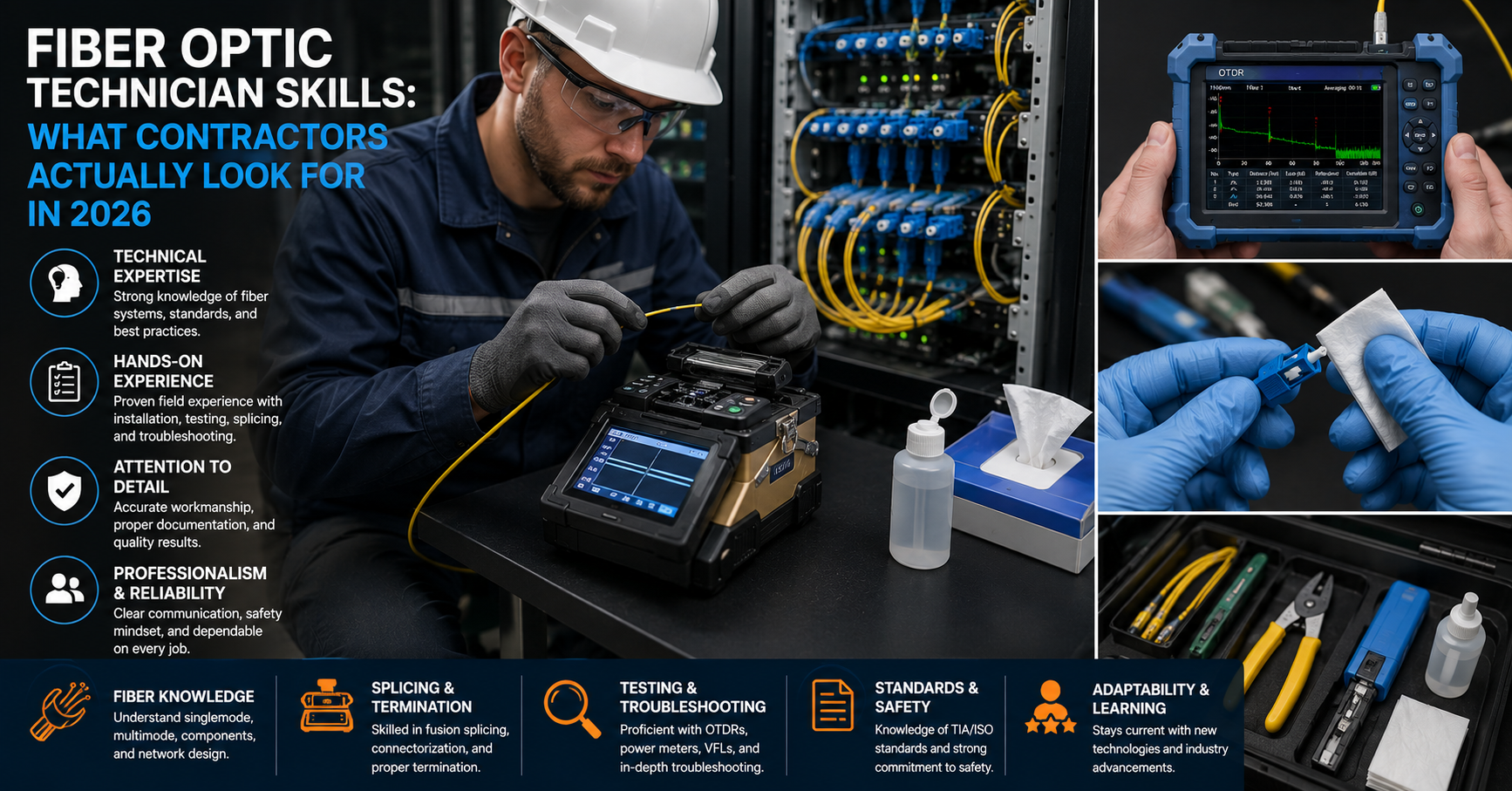
Fiber for enterprise networks engineering demands more discipline at termination than copper does, and that is where project risk concentrates. A copper jack terminated slightly out of tolerance will usually still certify; a fiber connector assembled with a contaminated end face can look acceptable and still fail under power. The skill gap is not in pulling cable but in the last few centimeters of every link.
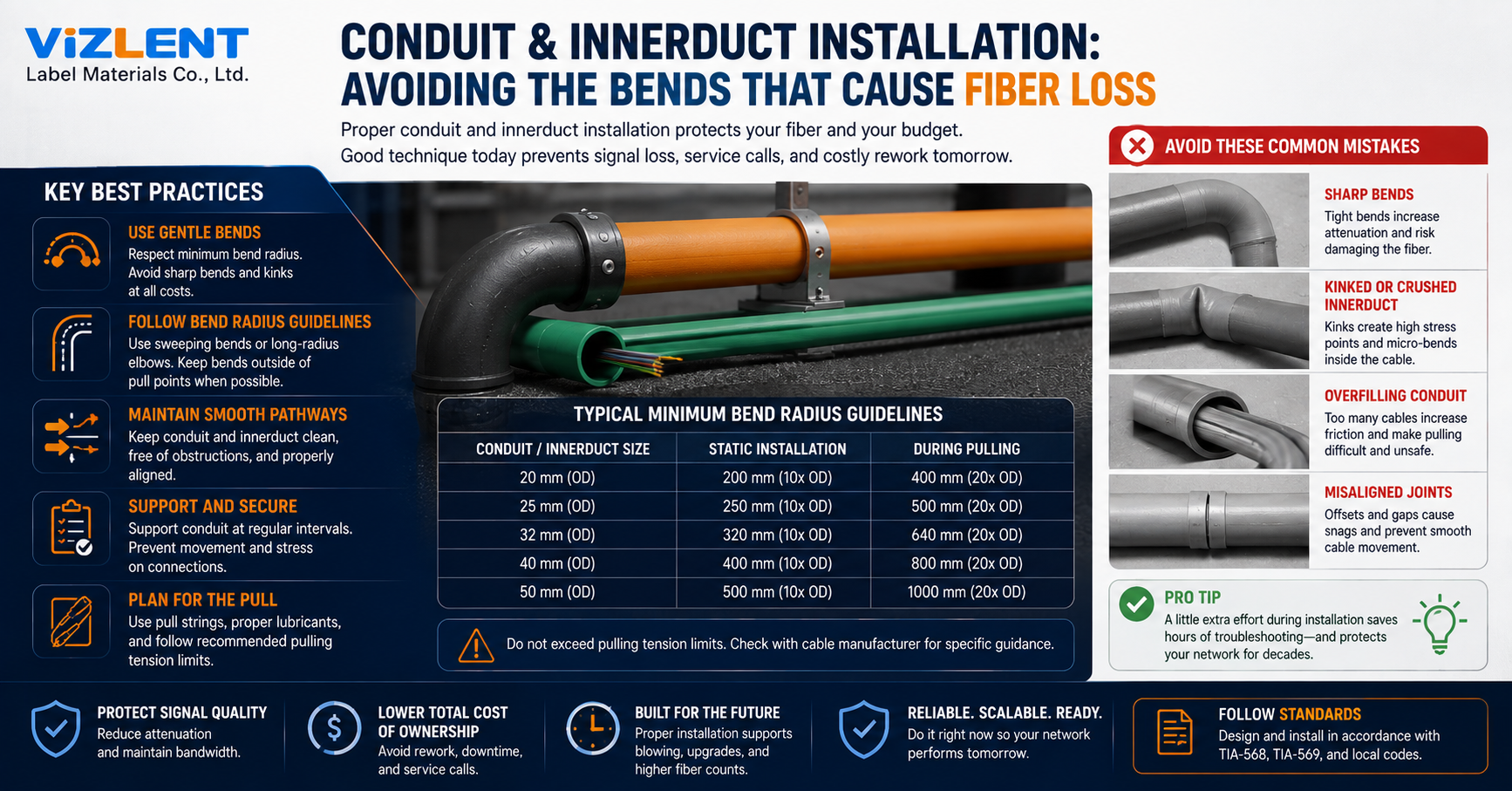
Tooling and workflow therefore matter as much as component selection. A crew equipped with proper fiber cleaning tools and a disciplined inspect-clean-reinspect loop produces first-time-right links, while a crew improvising with a cloth and generic alcohol produces callbacks. Fiber for enterprise networks enclosure selection follows the same logic, since splice trays, bend radius control, and slack management are what keep a link inside its loss budget years after handover.
Termination decisions worth making early:
- Fusion splicing for lowest loss and highest repeatability on backbone links
- Pre-terminated trunks where schedule pressure outweighs cable-length flexibility
- Field-installable connectors for restoration and small counts only
- Cassette-based enclosures where port density and future MPO migration are planned
Connector Contamination: Common, Costly, and Preventable
Connector contamination is one of the most common and most preventable causes of fiber link performance problems. A particle only a few microns across can scatter light, raise insertion loss, and, when mated under optical power, cause permanent damage to the end face. Dust from a ceiling void or a fingerprint from an ungloved hand is enough to put a link outside its budget.
The professional control is inspection against a published acceptance standard rather than a technician's judgement. IEC 61300-3-35 defines zone-based pass and fail criteria for end face quality, so every connector is assessed the same way by every technician on every shift. Handheld fiber optic inspection scopes turn that standard into a routine check at the point of mating.
A defensible field workflow looks like this:
- Inspect the end face before mating, every time
- Select a dry or wet cleaning method appropriate to the contamination present and to the connector manufacturer's stated procedure
- Re-inspect after cleaning and repeat until the connector passes
- Cap the connector immediately if it is not being mated
- Record the result where project documentation requires it
Testing and Acceptance: Proving the Plant
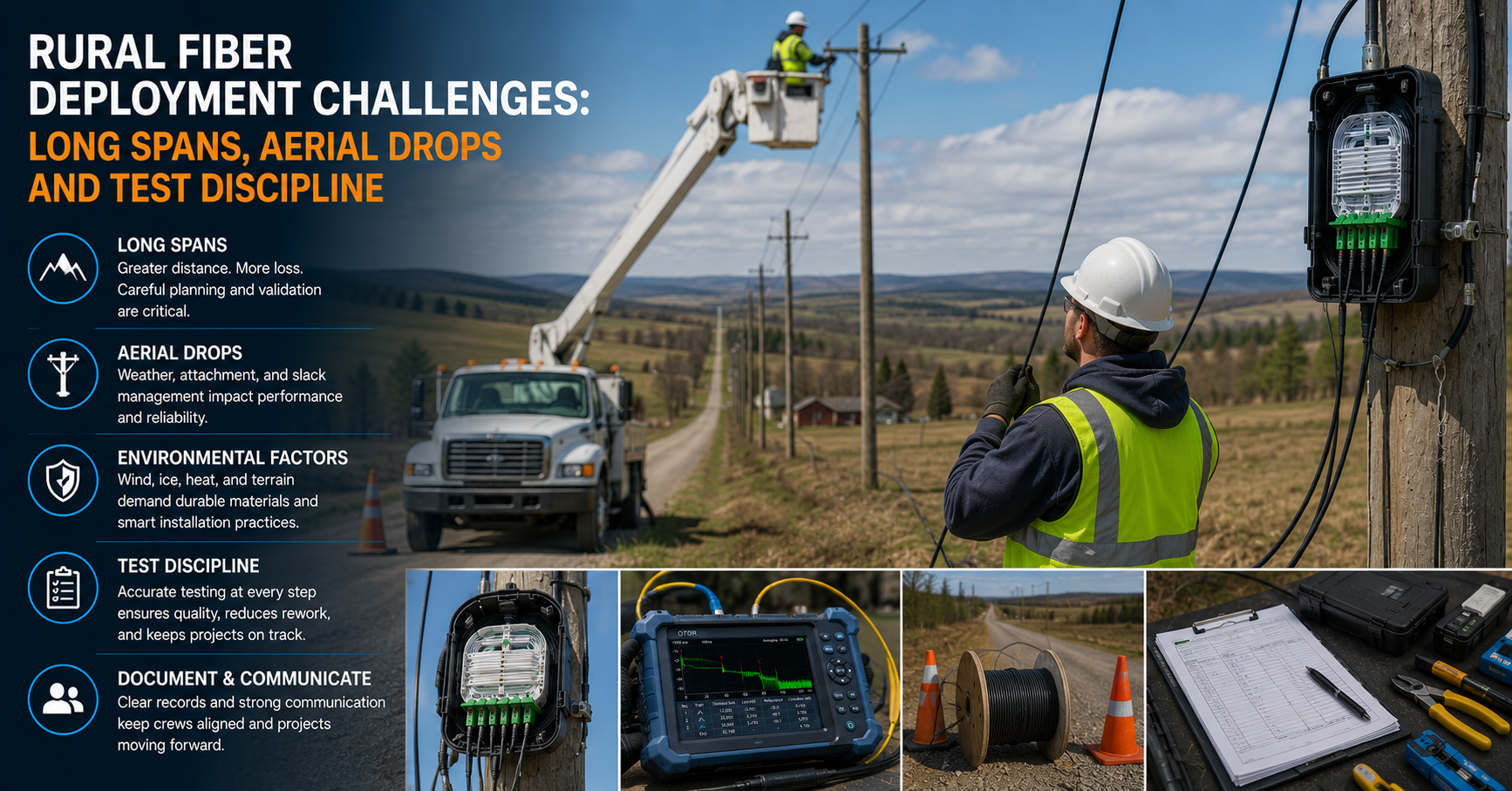
Acceptance testing is where a Fiber vs Copper for Enterprise Networks decision either holds up or unravels. Copper channels are certified with a field tester against ANSI/TIA-568.2-E limits, producing pass or fail results on insertion loss, return loss, NEXT, PSANEXT, and delay skew. Optical links are tested for insertion loss against a calculated budget under ISO/IEC 14763-3, and optionally characterized with an OTDR.
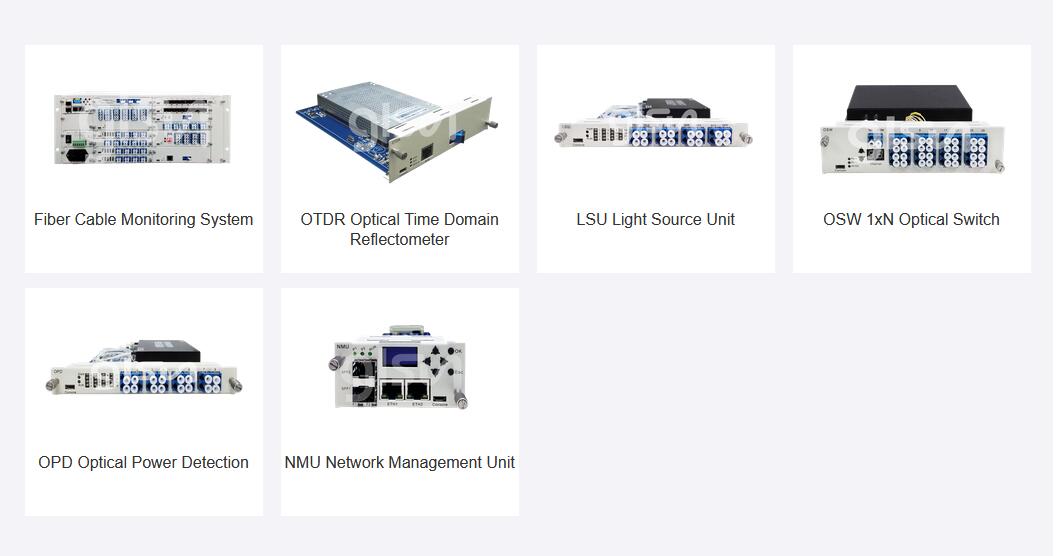
The distinction between the two optical test methods is regularly misunderstood on site. An optical loss test set measures end-to-end optical insertion loss across the tested link, which is the number the link budget is built on, while an OTDR tester maps the position and magnitude of individual events so faults can be located rather than guessed at. Serious commissioning uses the first for acceptance and the second for diagnosis and as-built documentation.
A Practical Decision Framework
The most useful way to run this comparison is to ask four questions per link class rather than one question per building. Distance sets the hard boundary, powering requirements set the second, environment sets the third, and expected service life sets the fourth. Once those four answers are on paper, the medium usually selects itself.
Applying that framework across a typical multi-storey office produces a predictable and defensible split. Backbone and riser go to singlemode, data center and equipment room interconnect go to multimode or singlemode depending on reach, and the horizontal stays on Category 6A wherever powered devices live. The exceptions are industrial floors and long campus runs, where copper for enterprise networks internet uplinks cannot meet distance or noise requirements at any price.
Desk and AP Drops Under 90 m
- Recommended medium: Category 6A copper
- Primary reason: PoE delivery and cost per port
Floor-to-Riser Backbone
- Recommended medium: OS2 singlemode
- Primary reason: Bandwidth headroom and no 100 m limit
- Building-to-Building Campus
- Recommended medium: OS2 singlemode
- Primary reason: Distance and ground isolation
Data Centre Leaf-to-Spine
- Recommended medium: OM4 or singlemode
- Primary reason: 100G and above, plus port density
- Industrial or High-EMI Floor
- Recommended medium: Fiber to the edge
- Primary reason: Noise immunity
- Long-Life Plant, 15 Years Plus
- Recommended medium: Fiber backbone
- Primary reason: Optics-led upgrade path
Migration Paths That Do Not Strand Capital
The best migration strategy for most organizations is deliberately incremental. Replacing a copper backbone with singlemode during a scheduled switch refresh costs a fraction of a standalone project, because pathway work, the outage window, and the commissioning crew are already funded. Sequencing the plant change to the equipment change is the single highest-leverage decision in a Fiber vs Copper for Enterprise Networks program.
Fiber to the desk deserves scrutiny rather than reflexive enthusiasm. Passive optical LAN and fiber-to-the-desk architectures can reduce telecom room count and copper volume substantially, but they reintroduce a local powering requirement for every device that previously drew PoE. Unless the edge device population is genuinely low-power or separately powered, hybrid designs generally outperform pure-fiber designs on total cost.
Sequencing that protects budget:
- Pull fiber into every pathway you open, even if it stays dark for now
- Standardize on one connector type and one polarity method plant-wide
- Document every link with test results at handover, not retrospectively
- Refresh optics, not cable, when speeds increase
What Changes Next
Two developments will reshape enterprise cabling decisions before the end of the decade. Higher lane rates are pushing electrical signaling toward its practical limits inside equipment, which is why 200 Gb/s per lane work moved into a dedicated IEEE task force. As switch silicon capacity continues to scale, optical interconnect stops being one option among several inside the data center.
At the access layer the pressure runs the other way. Wi-Fi 7 and its successors raise per-access-point backhaul requirements past a gigabit, which favors 2.5GBASE-T and 5GBASE-T upgrades on installed copper rather than wholesale replacement. The result is a widening gap between an increasingly optical core and a copper edge that keeps finding another generation of useful life.
Getting the Decision Right
Fiber vs Copper for Enterprise Networks rewards designers who plan by link class rather than by preference. Run the four-question framework across every link type in the building, price at least one worked scenario against real local contractor rates, and document the reasoning. The organizations that regret their cabling decisions are almost always the ones that made a single building-wide choice.
Whichever way the split falls, the quality of the fiber work decides whether the design performs as modeled. Specify inspection and cleaning as a required step in the installation method statement rather than as an optional extra, and hold every optical link to a published acceptance standard before handover. Review your current plant against ANSI/TIA-568.2-E and ANSI/TIA-568.3-E, and bring your inspection and cleaning workflow up to IEC 61300-3-35 before the next project starts.
Frequently Asked Questions
Is fiber always faster than copper for enterprise networks?
Not in raw propagation terms, but generally yes in usable throughput and effective latency. An electrical signal travels through copper marginally faster than light travels through silica, so distance for distance the propagation delay is comparable. The practical difference is that 10GBASE-T adds significant PHY latency through digital signal processing and forward error correction, while fiber supports far higher line rates without the 100 meter structured cabling limit.
How far can Category 6A actually run at 10 Gb/s?
A compliant Category 6A channel supports 10GBASE-T to the full 100 meter limit, comprising up to 90 meters of horizontal cable plus 10 meters of patch cords. Category 6 supports 10 Gb/s only over shorter distances, commonly cited at around 55 meters, and is more sensitive to alien crosstalk in dense bundles. Anything beyond the 100 meter channel requires fiber or an intermediate active device.
Can fiber carry power like Power over Ethernet does?
No. Optical fiber carries light, not current, so any device on a fiber drop needs a local power source or a hybrid composite cable. This remains the strongest argument for copper at the access layer, where IEEE 802.3bt Type 4 delivers up to 90 W at the source and 71.3 W at the device.
Which is cheaper to install in 2026, fiber or copper?
Copper is generally cheaper per installed drop in the horizontal, with published 2026 commercial ranges clustering around $150 to $300 for Category 6 and higher for Category 6A, while standard interior fiber drops are commonly quoted from around $300 to $800. Those bands move with copper commodity pricing, building access, and project size. Comparing installed cable cost alone omits switch power, cooling, telecom room count, and the cost of re-pulling a backbone at the next speed step.
What causes most fiber link failures?
Connector end face contamination is among the most common and most preventable causes. Particles of only a few microns scatter light, raise insertion loss, and can permanently damage the glass when mated under power. Inspecting IEC 61300-3-35 and cleaning with purpose-built tools before every mating eliminates a large share of these failures.
Do I need an OTDR or is a loss test set enough?
For acceptance testing, an optical loss test set is the correct instrument, because it measures end-to-end optical insertion loss across the tested link against the calculated budget. An OTDR characterizes the link event by event, showing where splices, connectors, and bends sit and how much each contributes. Most enterprise projects use loss testing for certification and an OTDR for fault location and as-built documentation.
Should new buildings skip copper entirely?
Very few should. A pure-fiber design removes PoE from the edge, which means every access point, camera, door controller, and sensor needs local power, and that cost frequently exceeds the cabling saved. Fiber-only designs make sense where edge devices are already separately powered or where the environment is hostile to copper.
How long should an enterprise cabling plant last?
Structured cabling is commonly specified with a service life measured in the region of 15 to 20 years, spanning several generations of active equipment, and TIA has stated that the cabling standards are intended to support a lifespan in excess of ten years. A well-designed singlemode backbone can often accommodate higher-speed optics without replacing cable, subject to the link budget. Copper horizontal cabling has considerably less headroom above its current rate.